What is a project status report?
A project status report is a short, regular update that tells stakeholders where a project stands — what's done, what's next, and whether anything is at risk. Lead with a red/amber/green (RAG) status: PMI found highly effective communication raises on-time delivery from 37% to 71%, so a clear signal at the top does most of the work. The template is the easy part; keeping it current is the hard part.
What should a project status report include?
A good report covers six blocks. Every template above uses the same structure — only the format changes.
Overall status. On track (green), at risk (amber), or off track (red). Lead with it.
Summary. Two or three sentences a stakeholder can forward as-is.
Progress this period. What actually got done since the last update.
Planned next. What's coming, so nothing lands as a surprise.
Milestones. Name, owner, due date, % complete, and status per row.
Risks & blockers. Impact, owner, and the next action for each.
Which format should you use?
Use Word when a client wants a clean one-pager to forward, Excel when you're tracking many line items and want live totals and an auto-RAG flag, and PowerPoint when you're walking a steering committee through it. For a faster reporting rhythm, the weekly status report template trims the structure to what changes week to week. To see each format filled in, the project status report examples walk through five real versions.
The problem with manual templates
A template is out of date the moment your board moves on, and rebuilding it each cycle is the busywork that adds up: 45% of project managers lose more than a full day each week to reporting (Wrike, via Forbes), and automating it could save roughly 13.5 hours per project manager monthly (McKinsey, via PPM Express).
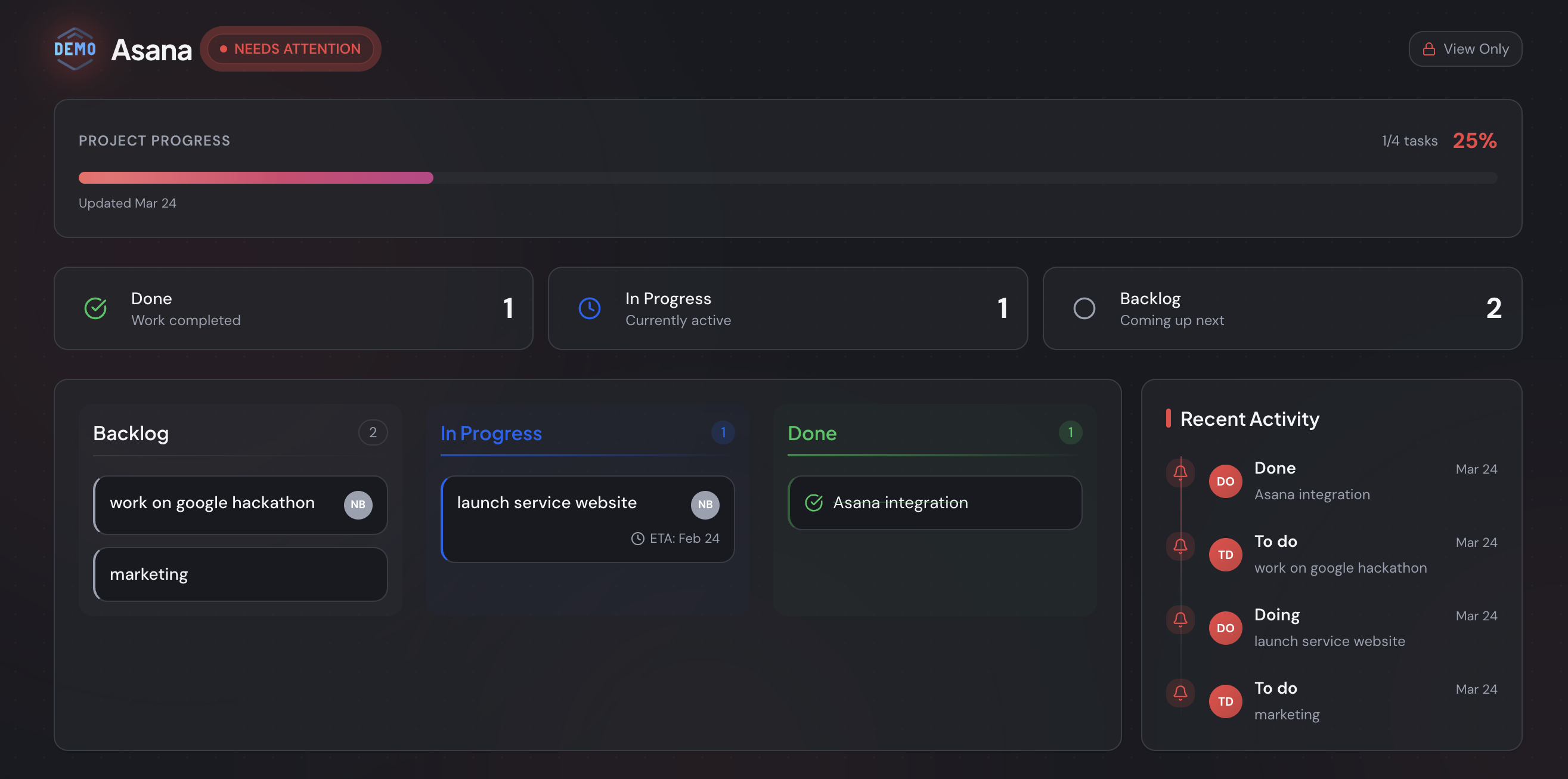
There's a lighter way to answer “where are we?” than maintaining a file. Connect the board you already run — Trello, Jira, or Asana — and StatusLink turns it into a branded, read-only status page your client opens with one link. No login for them, no rebuild for you, and no second copy to fall out of date. It refreshes when you move a card. If clients mainly need to see status, a no-login client portal compares the options.
Frequently asked questions
Are these project status report templates free?
Yes. The Word, Excel, and PowerPoint files download directly with no email wall and no form. PMI found highly effective communication lifts on-time delivery from 37% to 71%, so a clear, consistent status report earns its keep — there's no reason to gate it.
What should a project status report include?
Six blocks: an overall RAG status, a short summary, progress this period, plans for next period, a milestones table, and a risks table. Lead with the status flag — stakeholders skim, so the colored indicator at the top does most of the communicating.
Should I use Word, Excel, or PowerPoint?
Word suits a clean one-page document a client wants to forward; Excel suits trackers with many line items and live totals; PowerPoint suits a steering-committee review. The structure is identical — only the format and level of detail change.
How often should I send a project status report?
Weekly for fast-moving or short projects, monthly for long, stable initiatives. Many teams send weekly internally and a monthly summary to clients. Whatever the cadence, 45% of project managers already lose over a day a week to reporting (Wrike), so keep each one short.
Can I automate my project status report instead of filling in a template?
Yes. Manual templates go stale the moment your board moves on. StatusLink syncs a Trello, Jira, or Asana board into a branded, read-only status page clients open with one link — no rebuild, no login. Automated reporting saves around 13.5 hours per project manager monthly (McKinsey).