Client Portal Software in 2026: When You Need One (and When a Status Link Is Enough)
Client portal software grew into a ~$1.96B market in 2025, yet most agencies don't need the bloat. An honest guide to portals vs. no-login status pages.
Poor communication and transparency is the second-biggest reason clients fire their agency — 57% of departing clients name it (Focus Digital, 2026). Yet most clients aren't asking for much. They want to answer one question without scheduling a call: where are we?
Client portal software promises to answer that. The catch is that a lot of it answers a much bigger question than anyone asked — bundling invoicing, messaging, contracts, file vaults, and onboarding into a suite your client has to log into and you have to maintain. This guide walks through what client portal software actually is, the two models worth knowing, how the popular tools compare, and when the honest answer is that you don't need a portal at all — just a link.
Key takeaways
- Client portal software spans a wide range, from heavy all-in-one suites to lightweight, no-login status pages.
- The global market reached roughly $1.96B in 2025 (Global Growth Insights) — but bigger doesn't mean better fit.
- For "where are we?" updates, a branded read-only status page synced from your board beats a portal clients must remember to log into.
- StatusLink does exactly that, with no client login — and deliberately skips invoicing and messaging.
What is client portal software?
Client portal software is a secure, branded web space where a business shares work, files, and updates with its clients in one place instead of scattered emails. The category reached about $1.96 billion in 2025 and is forecast to hit $3.68 billion by 2034 (Global Growth Insights). Roughly 64% of professional-services firms already run one.
At its core, a portal replaces "let me email you that" with "it's in your portal." What lands inside the portal varies enormously. Some are document rooms. Some are full operating systems for a service business — proposals, e-signatures, invoices, chat, task lists, and a knowledge base, all behind one client login.
That breadth is the source of both the appeal and the problem. A portal that does everything is a portal someone has to set up, fill, and keep current. And a client who only wanted a status update now has another account to create.
Client portal software is a branded space for sharing work with clients, and the global market reached roughly $1.96 billion in 2025, growing at about 7.2% a year (Global Growth Insights). About 64% of professional-services firms already use one, but the feature set ranges from a simple file room to a full all-in-one business suite.
Who actually needs a client portal?
You need a client portal when work, files, and approvals are genuinely piling up across email threads and your clients keep losing the thread. Demand is real: 90% of customers now expect an online self-service option from the companies they work with (Microsoft, via Document360). But "a portal" and "all the portal features" aren't the same decision.
After building StatusLink and talking with a lot of agencies and freelancers, I'd sort the need into three buckets.
- You need a full portal if you exchange sensitive documents, collect signatures, bill through the tool, and run a high-touch retainer where the client logs in weekly. Law firms, accountants, and larger agencies often fit here.
- You need part of a portal — usually just status and progress — if your client's recurring question is "is this on track?" Most project-based agencies and freelancers live here.
- You need almost none of it if you've got two clients and a shared folder works fine.
The honest test is simple. List what your client actually opens. If it's the status, three times a week, and ignores everything else, you're paying to maintain features nobody uses.
Most agencies don't need a full client portal — they need the status part of one. After building StatusLink and interviewing dozens of agencies, the recurring pattern is clients who only ever check "is this on track?" while invoicing, messaging, and file vaults sit untouched. Match the tool to what clients actually open, not to the longest feature list.
Heavy all-in-one portals vs. lightweight no-login status pages
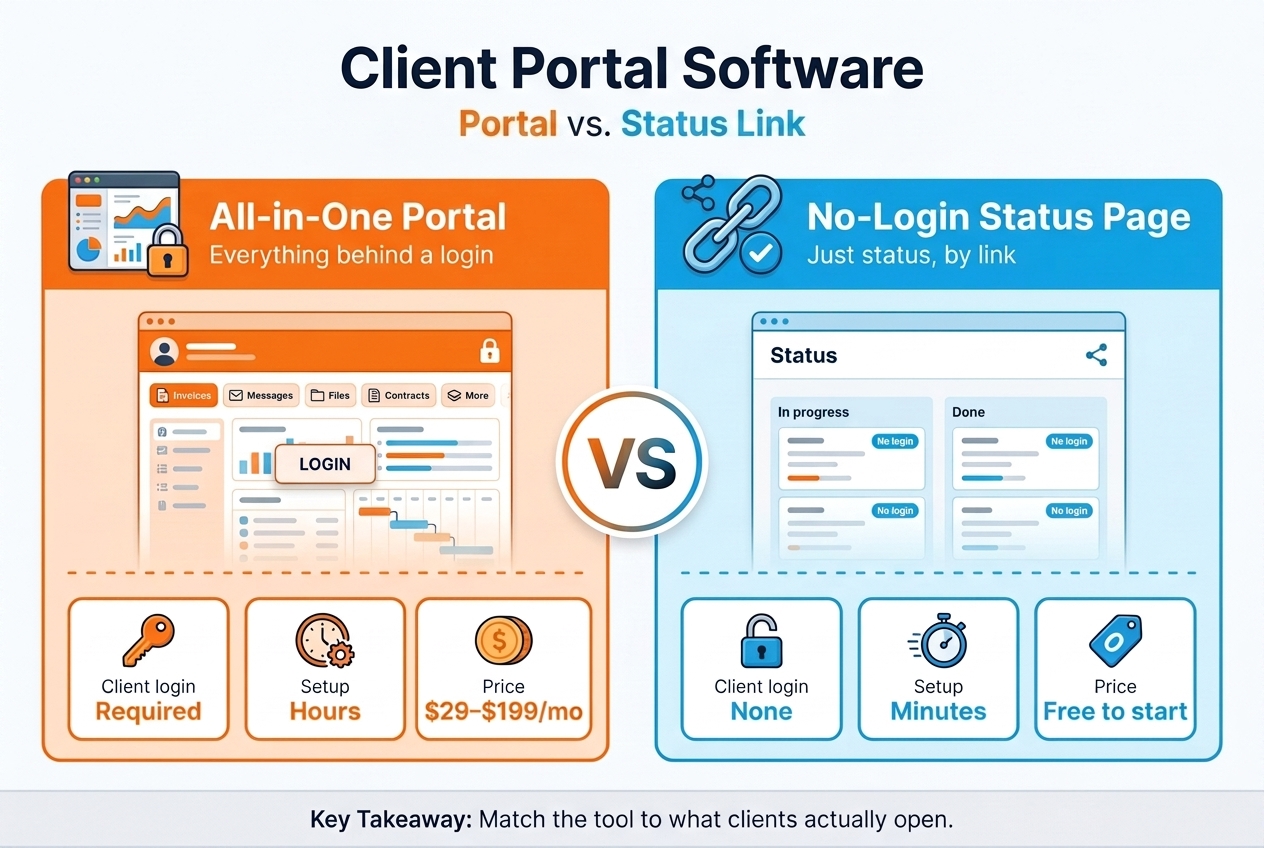
There are two real models. Heavy all-in-one portals centralize your whole client relationship behind a login; lightweight status pages share read-only progress over a single link with no login at all. The difference matters more than any feature checklist, because it changes who does the setup work — you, or nobody.
A heavy portal asks the client to create an account, set a password, and remember to come back. That's a real cost. The average internet user already manages around 240 password-protected accounts (DeepStrike, 2025), and 73% of people report password fatigue (Beyond Encryption). Every login you add is one more reason a busy client doesn't check in — and then asks you for an update anyway.
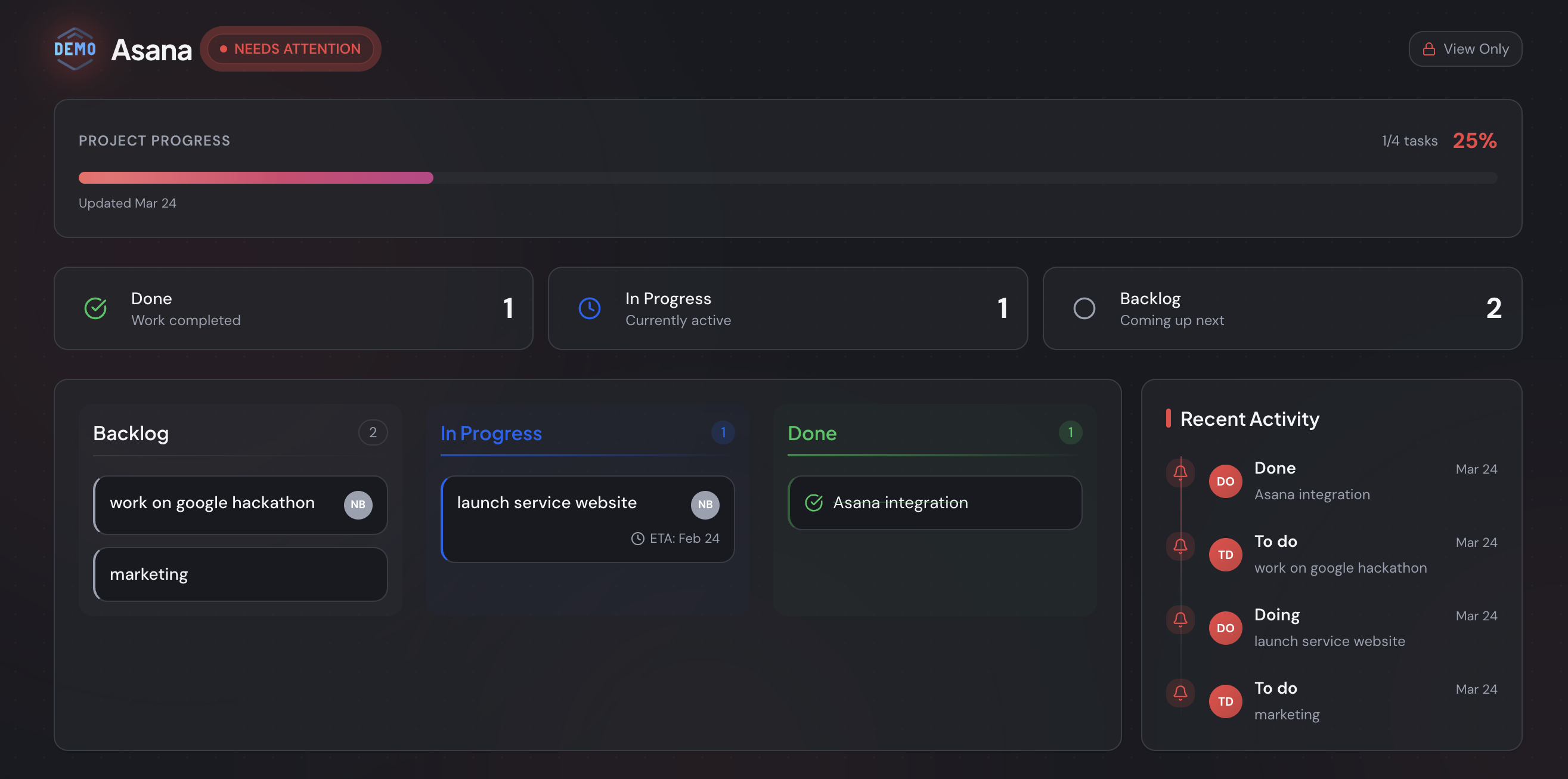
A no-login status page flips the model. You connect the board you already run — Trello, Jira, or Asana — and StatusLink turns it into a branded page you share with one link. The client clicks and sees status. No account, no onboarding, nothing for them to learn.
Here's the trade-off, side by side.
| What it means for you | Heavy all-in-one portal | No-login status page (StatusLink) |
|---|---|---|
| Client login | Required (new account + password) | None — just a link |
| Time to first client view | Hours: build, invite, onboard | Minutes: connect board, share link |
| What the client sees | Docs, invoices, messages, tasks, files | A clean, read-only status page |
| Source of truth | Re-entered into the portal | Synced live from Trello / Jira / Asana |
| Branding | White-label, often on higher tiers | Your logo and colors by default |
| Ongoing upkeep | You maintain the portal | The board you already maintain |
| Typical price | $29–$199+/month | Free to start |
The chart below makes the friction concrete: count the steps before a client can actually see where things stand.
The two client portal models differ on one axis: who does the setup. A heavy all-in-one portal asks the client to create an account — and the average person already juggles around 240 password-protected logins (DeepStrike, 2025). A no-login status page synced from your existing board removes that step entirely, so clients check status without ever signing in.
What features should you evaluate in client portal software?
Evaluate client portal software on five things: white-label branding, the client access model, integrations, real-time sync, and price. The access model matters most — 67% of customers say they'd rather use self-service than talk to a rep (Document360, 2025), but only if the tool doesn't make self-service harder than asking you directly.
White-label branding
The portal is something your client associates with you, so it should carry your logo and colors, not a vendor's. Cheaper plans often hide branding behind an upgrade. Decide whether a custom domain matters, or whether a branded page is enough.
Client access model: login vs. link
This is the quiet make-or-break. A login gives you per-user permissions and a place to store private files. A link gives you zero client friction. For status and progress, a shareable link wins almost every time; for confidential documents, you'll want authenticated access.
Integrations
A portal is only as current as the data inside it. If updates live in Trello, Jira, or Asana, a tool that syncs from there beats one you copy-paste into by hand. Otherwise the portal quietly goes stale — and a stale portal is worse than none.
Real-time sync
Ask how a client sees today's progress. Manual portals show whatever you last remembered to upload. Synced tools mirror your board automatically, so "where are we?" is always answered without you lifting a finger.
Pricing
Watch for per-client or per-seat pricing that punishes growth, and for "free" tiers that strip branding. We'll get to real numbers shortly.
The five features that actually matter in client portal software are white-label branding, the client access model, integrations, real-time sync, and pricing. The access model is decisive: 67% of customers prefer self-service to contacting a rep (Document360, 2025), so a tool that adds a login can undercut the very convenience a portal is supposed to provide.
When is a full client portal overkill?
A full client portal is overkill when your client's only recurring question is "is this on track?" — which, for most project work, it is. Ineffective communication is the primary contributor to project failure about one-third of the time (PMI study, via Ascertra). The fix for that isn't more software for the client to learn. It's making status effortless to see.
This is the case StatusLink was built for, and it's worth being blunt about what that means. StatusLink is deliberately not an all-in-one portal. It doesn't do invoicing. It doesn't do messaging or chat. It doesn't store contracts, run onboarding, or send proposals.
I get asked to add those things, and I keep saying no on purpose. The moment a status page grows a billing tab and a message inbox, it becomes another tool you have to administer and another login the client has to manage — the exact bloat that made portals feel heavy in the first place. Keeping StatusLink to one job, done well, is the point.
So if you need signatures and invoicing in the same place clients log in, StatusLink isn't your tool, and I'll happily tell you that. If you need clients to see status without friction, that narrow focus is the feature.
A full client portal is overkill when clients only ever check project status, which is most of the time — poor communication drives roughly a third of project failures (PMI, via Ascertra). StatusLink intentionally omits invoicing, messaging, and contracts so a status page stays a status page, not another suite to administer and log into.
How do the main client portal tools compare?
The main client portal tools split into all-in-one suites and focused, single-purpose pages. Most of the well-known names — SuiteDash, Copilot, Bonsai, Moxie, Hubflo, and ManyRequests — are suites built around a client login, while ClientPortal.io and StatusLink stay narrow. Here's an honest read on where each fits.
- SuiteDash — The kitchen sink: CRM, invoicing, projects, files, and a client portal in one. Powerful and inexpensive per feature, but it's a lot to configure. Best for firms that genuinely want to run the whole business in one login.
- Copilot — A polished, modern client portal with apps for messaging, billing, files, and contracts. Beautiful, premium-priced, and aimed at agencies productizing their service.
- Bonsai and Moxie — Freelancer operating systems. Proposals, contracts, invoicing, and a light client portal bundled together. Great if you want one tool for the business side; overkill if you just need status.
- Hubflo — A newer all-in-one client portal targeting service businesses, with a smart file and task hub. Same trade-off: broad, login-based, more to set up.
- ManyRequests — Built for productized services with request queues and billing. Strong for that model specifically.
- ClientPortal.io — A WordPress-based portal you self-host, lighter than the suites but still a login your clients manage.
- StatusLink — The outlier. No client login, no suite. It syncs a Trello, Jira, or Asana board into a branded read-only status page shared by link. Narrow by design.
For a full breakdown with pricing and screenshots, see our honest roundup of the best client portal software. The short version: pick a suite if you want one login for everything, and pick a focused status page if "everything" is more than your clients will ever open.
Client portal tools fall into all-in-one suites (SuiteDash, Copilot, Bonsai, Moxie, Hubflo, ManyRequests) and focused single-purpose tools (ClientPortal.io, StatusLink). Suites centralize billing, messaging, and files behind a client login; StatusLink instead syncs an existing Trello, Jira, or Asana board into a no-login status page, trading breadth for zero client setup.
What does client portal software cost?
Client portal software typically runs from free to $199+ per month, with most all-in-one suites landing between $29 and $99 monthly and scaling by clients or seats. Pricing isn't usually why clients leave — only 37% cite it (Focus Digital, 2026) — but it shapes which model makes sense at your size.
A few patterns to expect. Suites like SuiteDash start cheap but charge for white-label and higher contact limits. Premium portals like Copilot price per seat and add fees for extra client apps. Freelancer suites bundle a portal into a $20–$40 monthly plan you're partly buying for invoicing and contracts.
There's also a real free and small-business tier worth knowing about. Several tools offer a genuine free plan, and the right pick depends on volume, not just price. If you're running a lean shop, start with client portal software for small business, which weighs the simplest options head to head.
StatusLink itself is free to start — you connect a board and share a status page without paying or asking the client to sign up. You can see the full breakdown on the pricing page. The honest framing: don't pay suite prices for a portal whose only used feature is the status view.
Client portal software costs anywhere from free to $199+ per month, with most all-in-one suites between $29 and $99 monthly and scaling by client or seat. Pricing rarely drives churn — just 37% of departing clients cite it (Focus Digital, 2026) — so the better question is whether you're paying suite prices for features your clients never open.
How do you set up a no-login client portal from a Trello, Jira, or Asana board?
You set up a no-login client portal by connecting your existing board to StatusLink, choosing what's client-visible, branding the page, and sharing the link. Because the data syncs from the board you already maintain, there's nothing to copy over and nothing for the client to install or log into. Here's the flow.
- Connect your board. Authorize Trello, Jira, or Asana once. StatusLink reads the board you choose — no exporting, no rebuilding.
- Pick what clients see. Select the lists, columns, or sections that should appear, and map them to clear statuses like In progress and Done. Internal-only columns stay internal.
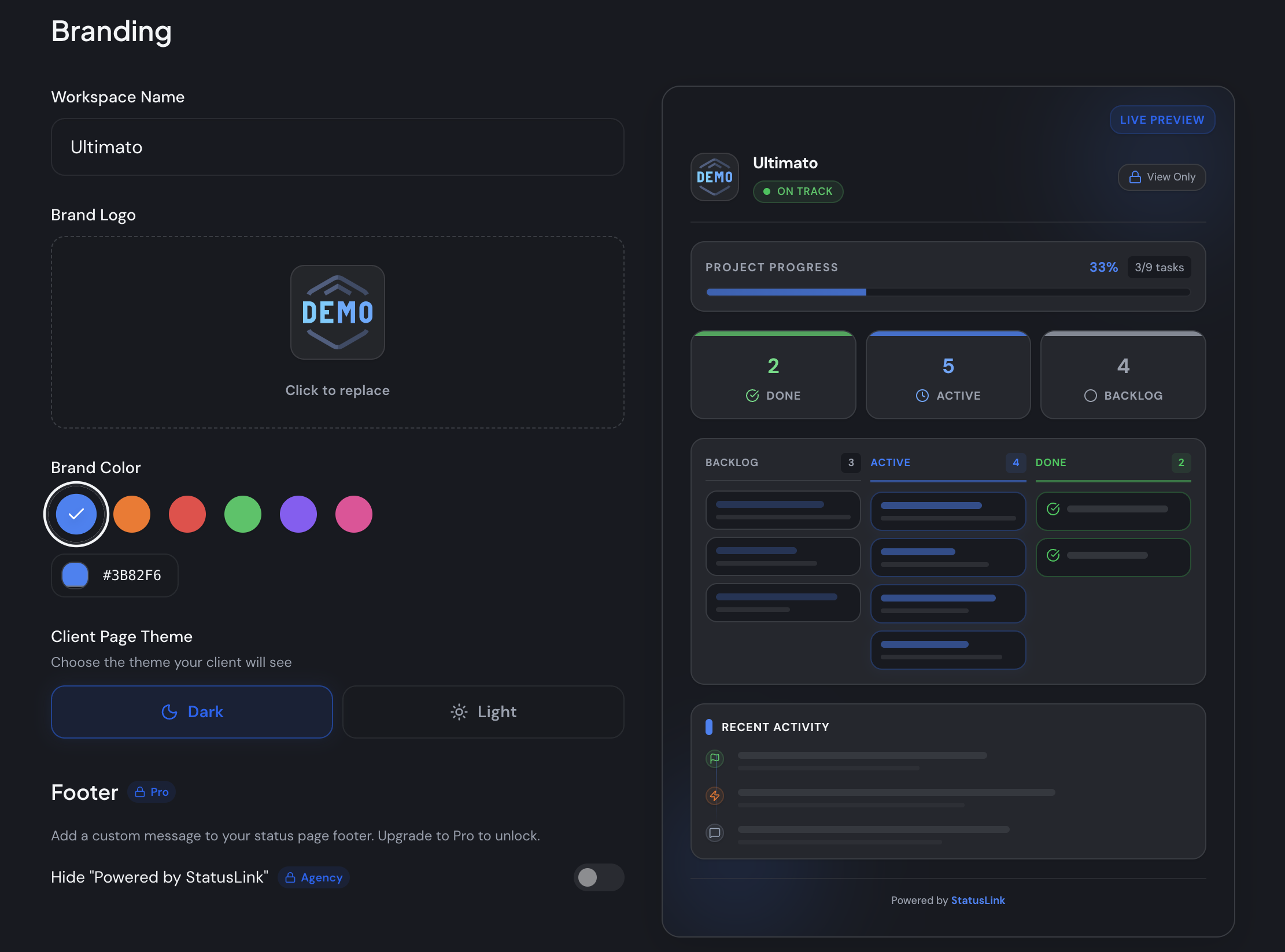
- Brand the page. Drop in your logo, set your brand color, choose light or dark, and add custom status labels so it reads like your studio built it.
- Share the link. You get a single magic link. Send it to the client. They open it and see live status — no account, ever. Revoke or regenerate the link anytime.
From there it stays current on its own, because it mirrors your board. When you move a card to Done, the client's page updates. That's the whole point — the status update that used to be a Friday email writes itself.
If you also send formal written updates, you can pair the page with a project status report template for the moments a client wants something to forward internally.
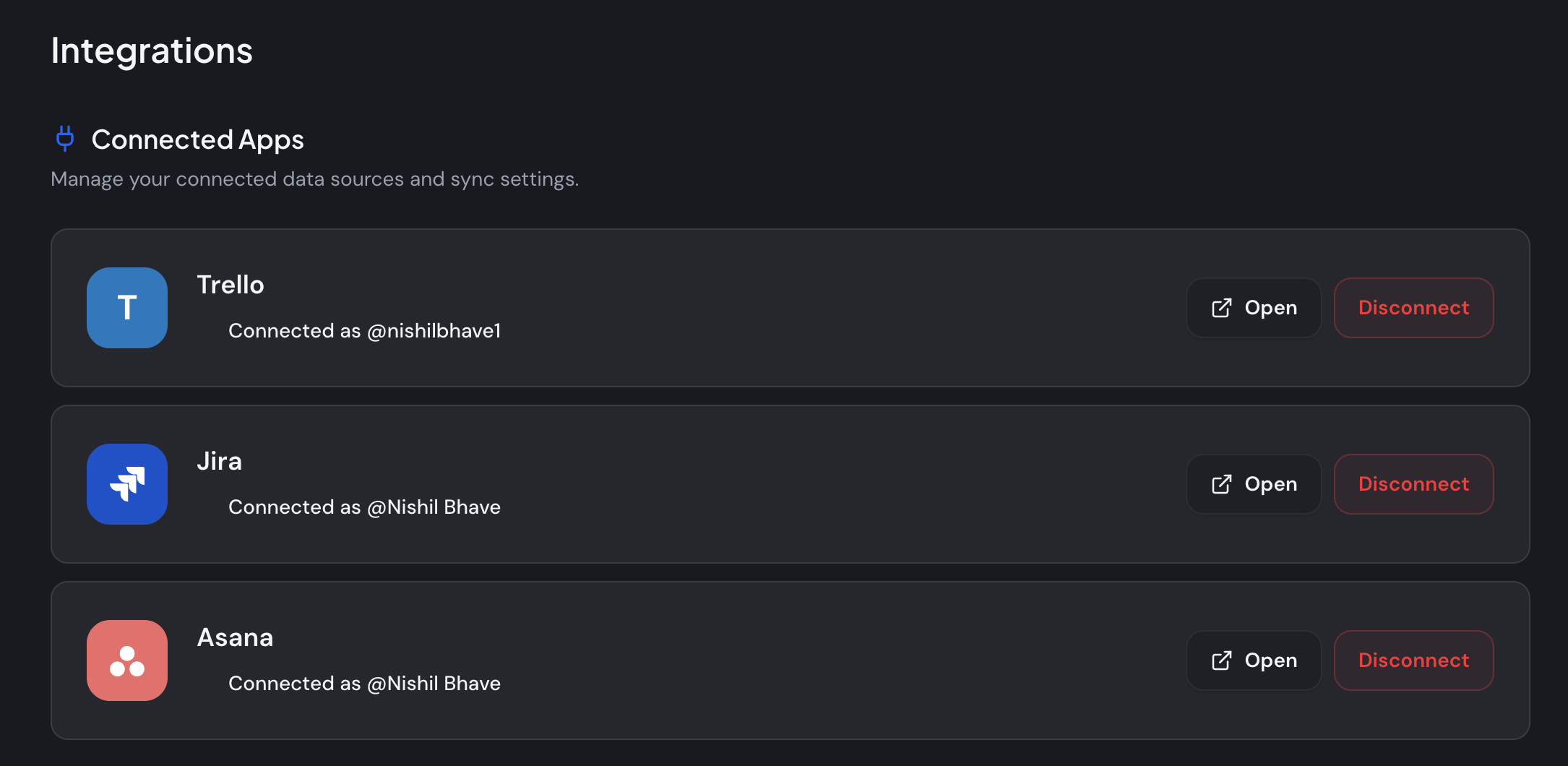
Setting up a no-login client portal takes four steps: connect a Trello, Jira, or Asana board, pick the client-visible lists, brand the page, and share one magic link. Because the page syncs live from the board you already maintain, it updates itself when you move a card — no manual reporting and no client account required.
The lighter answer
Client portal software has quietly become a category that does too much for what most clients want. The market is real and growing — about $1.96 billion in 2025 (Global Growth Insights) — but size isn't the same as fit. If your clients open the status view and ignore the rest, you're maintaining a suite to deliver a single screen.
The lighter answer is to stop building a portal and start sharing a link. Connect the board you already use, brand the page, and let clients see exactly where things stand without another login to manage. Poor communication is what loses clients; effortless visibility is what keeps them informed.
Want to try it? You can start free and connect your board in a few minutes — Trello, Jira, or Asana — and send your first client a status page today.
Frequently asked questions
Does a client portal need a login?
Not always. Heavy all-in-one portals require each client to create an account, but a status-only tool like StatusLink shares a read-only page by link with no login. With the average person managing around 240 password-protected accounts (DeepStrike, 2025), skipping the login often raises how often clients actually check in.
Is there free client portal software?
Yes. Several tools offer genuine free tiers, though many strip white-label branding or cap clients. StatusLink is free to start and keeps your branding, letting you connect a board and share a status page without payment. For lean teams, compare the simplest free and low-cost options before committing to a suite.
What's the difference between client dashboard software and a client portal?
A client dashboard focuses on showing data and progress at a glance, while a client portal usually adds two-way features like messaging, files, and billing behind a login. If clients mainly want to see status, a dashboard-style page covers it; if they need to transact and exchange documents, a full portal fits better.
Is there project management software with a client portal built in?
Some PM suites include client-facing portals, but they often expose more than a client needs and require a login. StatusLink takes the opposite approach: it keeps you in Trello, Jira, or Asana and turns that board into a branded, read-only client view, so your internal tool and the client's view stay in sync automatically.
How is a client portal different from a client portal CRM?
A client portal CRM combines contact and pipeline management with a client-facing login, aimed at sales and relationship tracking. A status-focused tool ignores CRM entirely and answers one question: where is my project? Choose a CRM-portal if you're managing deals; choose a status page if clients just need visibility into ongoing work.