Project Status Report Template in Word (Free Download)
Free project status report template for Word: copy-paste sections, a filled example, and why 45% of PMs lose over a day a week to manual reporting.
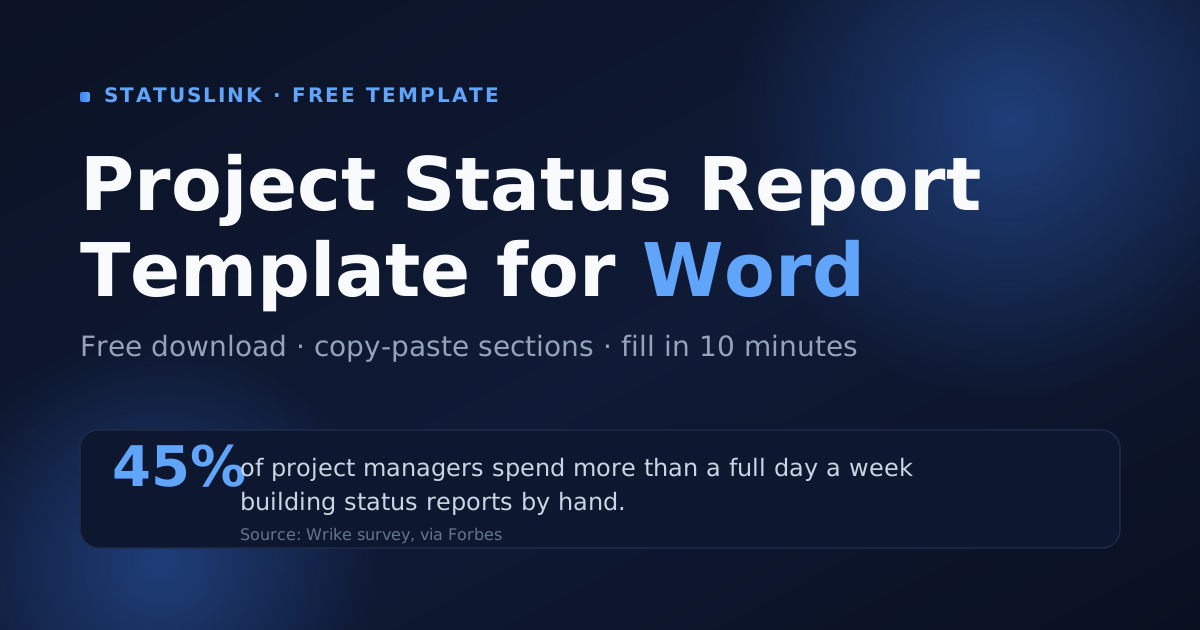
The average project manager spends 3-4 hours every week just building status reports — over 150 hours, or roughly 13 working days, a year (PPM Express). A clean template is the fastest way to claw some of that time back. This guide gives you a free project status report template for Word you can copy and paste, shows you how to fill it in with a worked example, and is honest about where a static document falls short.
Key takeaways
- A strong project status report has six parts: overall status, summary, progress, next steps, milestones, and risks.
- The free Word template below is copy-paste ready — no download form, no email required.
- Highly effective communication raises on-time delivery from 37% to 71% (PMI).
- Manual Word reports go stale fast; syncing from your board keeps clients current with zero rework.
What goes in a project status report template?
A project status report template needs six core sections: an overall status indicator, a short summary, progress this period, plans for next period, key milestones, and open risks or blockers. Keep it to one page — highly effective communication raises the share of projects delivered on time from 37% to 71% (PMI), and brevity is what gets a report read.
The single most important element is the status indicator at the top. A simple red/amber/green (RAG) signal tells a busy reader where things stand before they read a word. Everything below it is detail.
Here's what each section does:
- Header — project name, who prepared it, the client, the reporting period, and the date.
- Overall status — on track (green), at risk (amber), or off track (red).
- Summary — two or three sentences a stakeholder can forward without reading the rest.
- Progress this period — what got done since the last report.
- Planned for next period — what's coming, so there are no surprises.
- Milestones — the dates that matter, with their current status.
- Risks, issues, and blockers — what could derail things, and who owns the fix.
A project status report template should contain six sections: overall RAG status, a short summary, progress this period, plans for next period, milestones, and risks. The status indicator matters most, because PMI found that projects with highly effective communication finish on time 71% of the time versus 37% for those with poor communication (PMI).
Free project status report template for Word (copy-paste)
Below is a complete project status report template you can paste straight into a blank Word document. Microsoft Word remains the default for this kind of document — it's used by over 1.2 billion people worldwide (documentformattingservices.com) — so a Word-native format is the one most clients can open and edit without friction.
PROJECT STATUS REPORT

Project:           [Project name]
Prepared by:       [Your name / company]
Client / sponsor:  [Client name]
Reporting period:  [Start date] – [End date]
Date issued:       [Date]

OVERALL STATUS:    🟢 On track   |   🟡 At risk   |   🔴 Off track

SUMMARY
[Two or three sentences: where the project stands and the one
thing the reader should take away.]

PROGRESS THIS PERIOD
- [Completed item]
- [Completed item]

PLANNED FOR NEXT PERIOD
- [Upcoming item]
- [Upcoming item]

MILESTONES
| Milestone        | Due date   | Status                  |
| ---------------- | ---------- | ----------------------- |
| [Name]           | [Date]     | On track / Done / Late  |

RISKS, ISSUES & BLOCKERS
| Item             | Impact     | Owner   | Next action    |
| ---------------- | ---------- | ------- | -------------- |
| [Risk / blocker] | High/Med/Low | [Name] | [Next step]   |

DECISIONS / ACTIONS NEEDED FROM YOU
- [Anything the client must approve or unblock]
Want the pre-formatted files instead of pasting? Grab the Word, Excel, and PowerPoint versions on our project status report template hub. For other formats and layouts, see the Excel version too.
This free project status report template for Word includes a header, RAG status line, summary, progress, next steps, a milestones table, and a risks table — the six sections most stakeholders expect. Word is a sensible default format because it has more than 1.2 billion users globally (documentformattingservices.com), making it the file type clients are most likely to open without help.
How do you fill out a project status report in Word?
You fill out the template top to bottom: set the RAG status first, write the summary last, and keep every section to a few bullets. That order matters because the summary is easier to write once you've listed what actually happened. Remember that 45% of project managers already spend more than a full day each week on reporting (Wrike, via Forbes) — speed is the point.
Here's a filled example for a fictional website redesign:
Overall status: 🟡 At risk Summary: Design is approved and front-end build is underway. We're a few days behind on content because three pages are still awaiting copy from your team — that's the one blocker to clear this week. Progress this period: Homepage and pricing page built; brand styles applied; staging site live. Planned next: Build the remaining four templates; integrate the contact form. Risk: Missing copy for three pages (High impact, owner: client) — needed by Friday to hold the launch date.
Notice how the amber status and the summary do most of the work. A status report isn't a diary of everything you did — it's a decision tool. The reader wants to know one thing: is this on track, and if not, what do they need to do? Write to that question and the rest gets shorter.
Fill out a project status report in Word by setting the RAG status first, listing progress and risks, then writing the summary last so it reflects the real picture. Keep each section to a few bullets: with 45% of project managers spending over a day a week on reports (Wrike, via Forbes), a one-page format that leads with status is both faster to write and more likely to be read.
How often should you send a project status report?
Send a status report on a cadence that matches the project's pace: weekly for fast-moving or short engagements, biweekly or monthly for long, stable ones. Many teams share weekly updates internally and a monthly summary with clients. The format below doesn't change — only the reporting period and the depth of detail do.
Weekly reports earn their keep by catching problems early, while a slower cadence avoids drowning stable projects in noise. If you're standardizing on a weekly rhythm, our weekly project status report template trims the structure for a faster turnaround. To see how the same template flexes across formats, the project status report examples walk through several filled versions.
The right frequency for a project status report depends on pace: weekly for fast or short projects, monthly for long, stable ones, and often a weekly internal update paired with a monthly client summary. The template stays identical across cadences — only the reporting period and detail level shift, so you reuse one format instead of maintaining several.
What's the catch with manual Word templates?
The catch is that a Word report is a snapshot, and your project keeps moving. The document is accurate the moment you hit send and slightly wrong by the next morning — yet rebuilding it is exactly the busywork eating 3-4 hours of your week (PPM Express). Automating it saves around 13.5 hours per project manager every month (McKinsey, via PPM Express).
Every status doc I shipped to a client used to be out of date within days, and I'd field the "any update?" email anyway. The board had already moved; the Word file hadn't. That gap is the whole problem with manual reporting.
There's a lighter way to handle the recurring "where are we?" question. Instead of rebuilding a document, connect the board you already run — Trello, Jira, or Asana — and StatusLink turns it into a branded, read-only status page your client opens with one link. No login for them, no rebuild for you. It updates itself when you move a card.
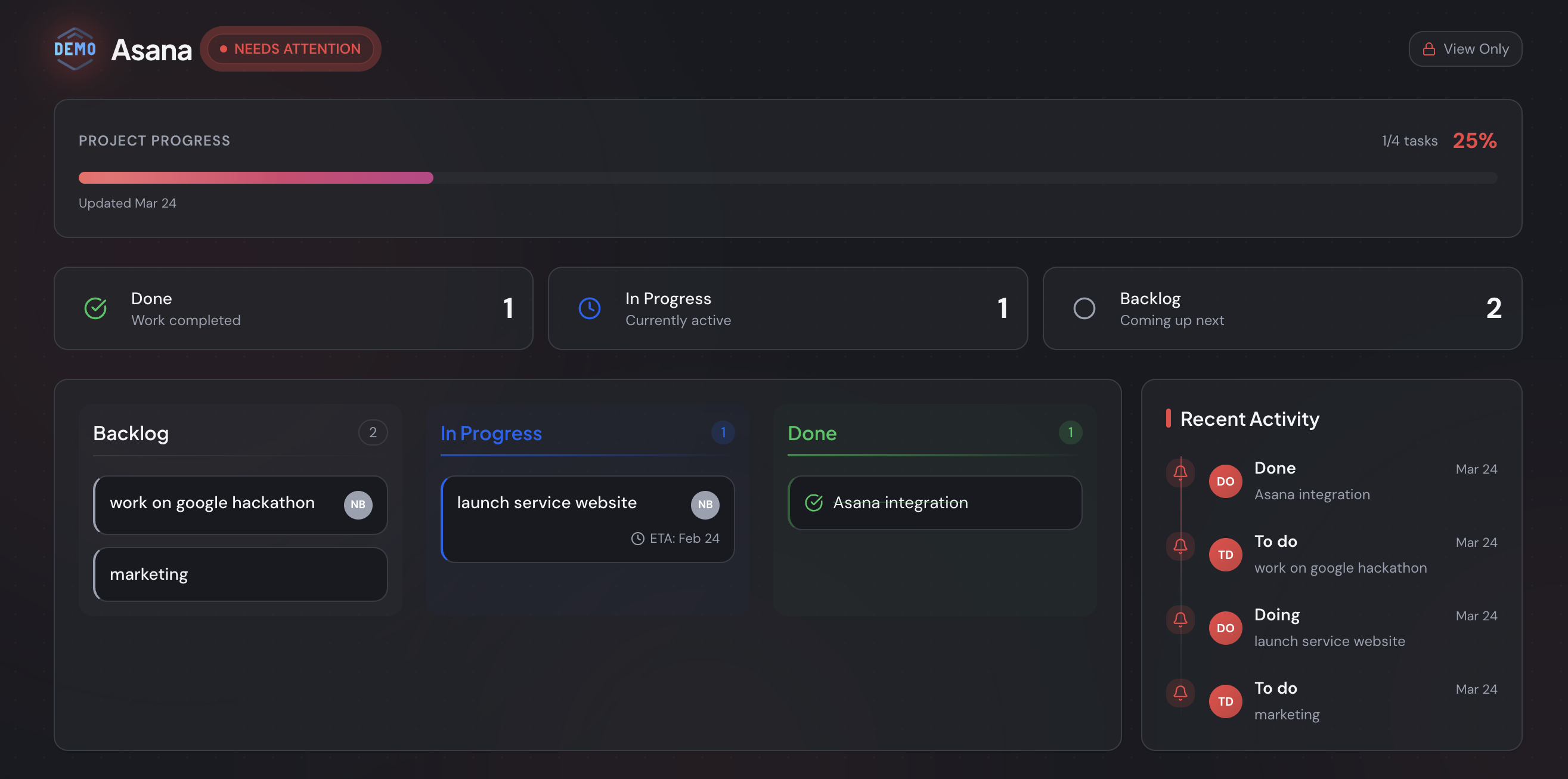
The catch with manual Word templates is that they're stale the moment your board moves on, while you keep spending 3-4 hours a week rebuilding them (PPM Express). A status page synced from Trello, Jira, or Asana stays current automatically — and automated reporting saves roughly 13.5 hours per project manager each month (McKinsey).
Use the Word template for the formal, forwardable updates a client wants on file. For the day-to-day "is this on track?" question, a synced status page beats a document that's outdated before anyone reads it. If you mostly need clients to see status without friction, see how a no-login client portal compares to heavier tools.
Want to skip the weekly rebuild? You can start free and connect your board — Trello, Jira, or Asana — and send your first client a live status page in a few minutes. Or download the Word template if a document is exactly what this client needs.
Frequently asked questions
Is the project status report template free?
Yes. The copy-paste version in this article is free to use, and you can grab the formatted Word, Excel, and PowerPoint files on our project status report template hub. There's no email wall — paste the structure into a new Word doc and you're ready to fill it in.
What should a project status report include?
A good report covers six things: an overall RAG status (on track, at risk, off track), a one-paragraph summary, progress this period, plans for next period, milestones, and any risks or blockers. PMI found highly effective communication lifts on-time delivery from 37% to 71%, so clarity beats length every time.
How long should a project status report be?
One page is the target. Stakeholders skim, so lead with the status indicator and summary, then keep each section to a few bullets. The average project manager already spends 3-4 hours a week writing reports (PPM Express); a tighter format saves you time and gets read more often.
What's the difference between a weekly and a monthly status report?
Weekly reports suit fast-moving or short projects where issues need catching early; monthly suits long, stable initiatives. Many teams send weekly updates internally and a monthly summary to clients. The template is the same — only the reporting period and the level of detail change.
Can I automate my project status report instead of using Word?
Yes. Manual reports go stale fast because the underlying board keeps moving. Tools like StatusLink sync a Trello, Jira, or Asana board into a live, branded status page, so clients see current progress without you rebuilding a Word doc each week. Automation saves around 13.5 hours per PM monthly (McKinsey).