Weekly Project Status Report Template (Free Copy-Paste)
Free weekly project status report template to copy-paste, plus how to run a weekly reporting cadence — and why teams lose 5 hours a week to status meetings.
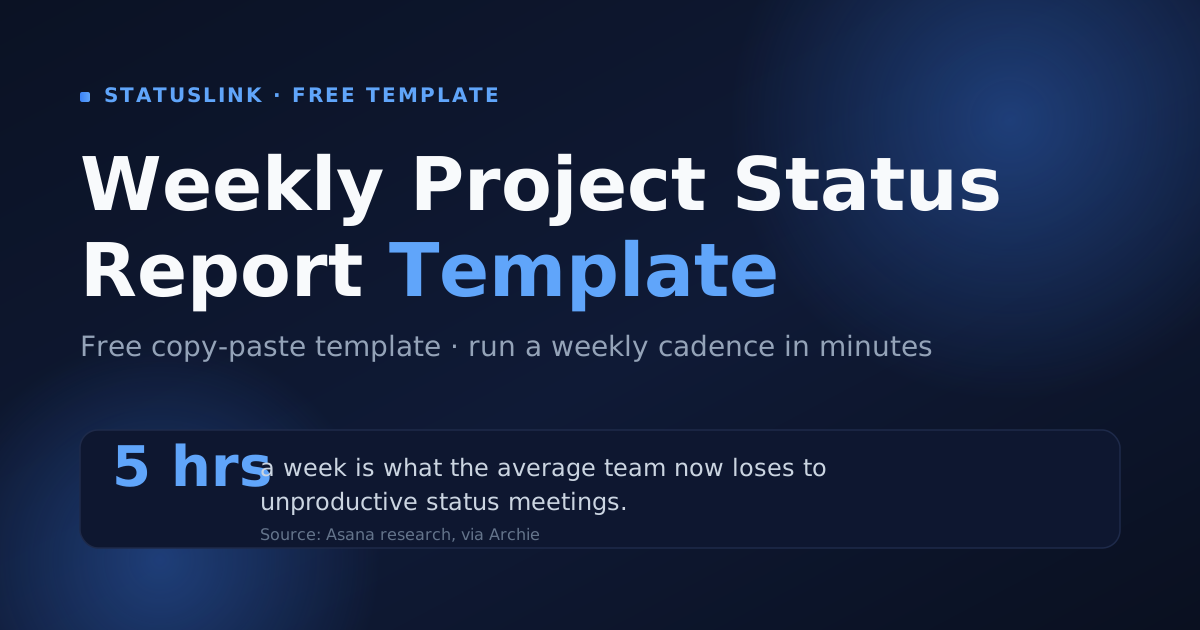
The average team now loses about five hours a week to meetings most people consider unproductive — a number that has doubled since 2019 (Asana, via Archie, 2024). A big slice of that is the standing status meeting: everyone on a call so one person can recap what already happened.
A good weekly status report makes most of those meetings unnecessary. This guide gives you a free weekly project status report template you can copy and paste, shows how to run a weekly reporting cadence that actually sticks, and is honest about where a static weekly document falls short — and how to make it update itself.
Key takeaways
- A weekly status report has six parts: RAG status, summary, progress this week, next week's plan, milestones, and risks.
- The copy-paste template below drops straight into a doc, email, or wiki page — no download form.
- Highly effective communication lifts on-time delivery from 37% to 71% (PMI, 2013).
- A static weekly report is stale by Monday; a page synced from your board updates itself.
What should a weekly project status report include?
A weekly project status report should include six things: an overall RAG status, a short summary, progress this week, next week's plan, key milestones, and any open risks or blockers. Lead with the status signal — highly effective communication raises on-time delivery from 37% to 71% (PMI, 2013).
The weekly version is the same six sections as any status report, just tuned for a faster turnaround. You're covering seven days, not a quarter, so each section stays short. The point of a weekly is speed and rhythm, not depth.
Here's what each part does on a weekly cadence:
- Header — project, who prepared it, the client, and the week it covers (a date range or "Week 7 of 12").
- RAG status — on track (green), at risk (amber), or off track (red). This is the one line a busy reader needs.
- Summary — one or two sentences a stakeholder can forward without opening the rest.
- Progress this week — what actually shipped since the last report.
- Plan for next week — what's coming, so nobody's surprised.
- Milestones — the dates that matter and their current status.
- Risks and blockers — what could slip, who owns it, and the next action.
A weekly project status report needs six sections: overall RAG status, a one-line summary, progress this week, next week's plan, milestones, and risks or blockers. The status indicator carries the most weight — PMI found projects with highly effective communication finish on time 71% of the time versus 37% with poor communication (PMI, 2013).
Free weekly project status report template (copy-paste)
Below is a complete weekly project status report template you can paste straight into a doc, email, or wiki page. It earns its place because 45% of project managers already spend more than a full day each week on status reporting (Wrike, via Forbes, 2024) — a fixed structure is what makes each week faster.
WEEKLY PROJECT STATUS REPORT

Project:           [Project name]
Prepared by:       [Your name / company]
Client / sponsor:  [Client name]
Week of:           [Monday date] – [Friday date]
Report #:          [e.g. Week 7 of 12]

RAG STATUS:        🟢 On track   |   🟡 At risk   |   🔴 Off track

SUMMARY
[One or two sentences: where things stand this week and the single
thing the reader should take away.]

PROGRESS THIS WEEK
- [Completed this week]
- [Completed this week]

PLAN FOR NEXT WEEK
- [Planned for next week]
- [Planned for next week]

MILESTONES
| Milestone        | Due date   | Status                  |
| ---------------- | ---------- | ----------------------- |
| [Name]           | [Date]     | On track / Done / Late  |

RISKS & BLOCKERS
| Item             | Impact       | Owner   | Next action   |
| ---------------- | ------------ | ------- | ------------- |
| [Risk / blocker] | High/Med/Low | [Name]  | [Next step]   |

DECISIONS NEEDED FROM YOU
- [Anything the client must approve or unblock this week]
Want pre-formatted files instead of pasting? Grab the Word, Excel, and PowerPoint versions on our project status report template hub. If you'd rather build in a specific app, the Word template walkthrough and the Excel version cover those formats in full.
This free weekly project status report template covers a RAG status line, a one-line summary, this week's progress, next week's plan, a milestones table, a risks table, and decisions needed. A reusable structure is what saves the time — 45% of project managers lose over a day a week to manual reporting (Wrike, via Forbes, 2024).
How do you run a weekly reporting cadence?
Run a weekly cadence by picking one fixed day, keeping an identical format every time, and using the report to replace the standing status meeting. Many teams send a weekly internal update and a monthly client summary (Asana, 2024), because a weekly rhythm catches issues while they're still cheap to fix.
The day matters less than the consistency. Friday end-of-day closes the week while it's fresh; Monday morning sets up the week ahead. Pick one, send at the same time, and use the same template so readers always know where to look. A predictable update is the one people actually read.
When I ran weekly client updates by hand, the hardest part was never writing them — it was the recurring 30-minute call where I read the update out loud anyway. The week I replaced that call with a written report on a fixed day, nobody missed it, and I got the half-hour back.
That's the quiet win of a weekly cadence: done right, it dissolves the status meeting. If the standing call exists only so someone can narrate progress, a report on a reliable schedule does the same job without booking everyone's calendar. For a few filled-in versions to model yours on, the project status report examples walk through several real formats.
A weekly reporting cadence works best on a fixed day with an identical format, so stakeholders know when the update lands and where to look. It also replaces the standing status meeting: teams now lose roughly 5 hours a week to meetings they consider unproductive (Asana, via Archie, 2024), and a status slot is the easiest one to reclaim.
Why does a weekly report go stale so fast?
A weekly report goes stale because it's a snapshot and your project keeps moving — it's accurate on Friday and slightly wrong by Monday. Rebuilding it is the busywork already eating 3-4 hours of the average project manager's week (PPM Express, 2024). The shorter the period, the more often you pay that cost.
Here's the trap nobody names: a weekly cadence is a treadmill. A monthly report is wrong for a few days a month; a weekly report is wrong for a few days a week. By committing to report more often, you've also signed up to rebuild the document more often — which is exactly backward if the underlying board already knows the answer.
The catch with a weekly status report is timing: it's current the moment you send it and out of date by the next standup, yet you rebuild it anyway for 3-4 hours a week (PPM Express, 2024). A page synced from your board never goes stale between reports.
How do you automate a weekly status report from your board?
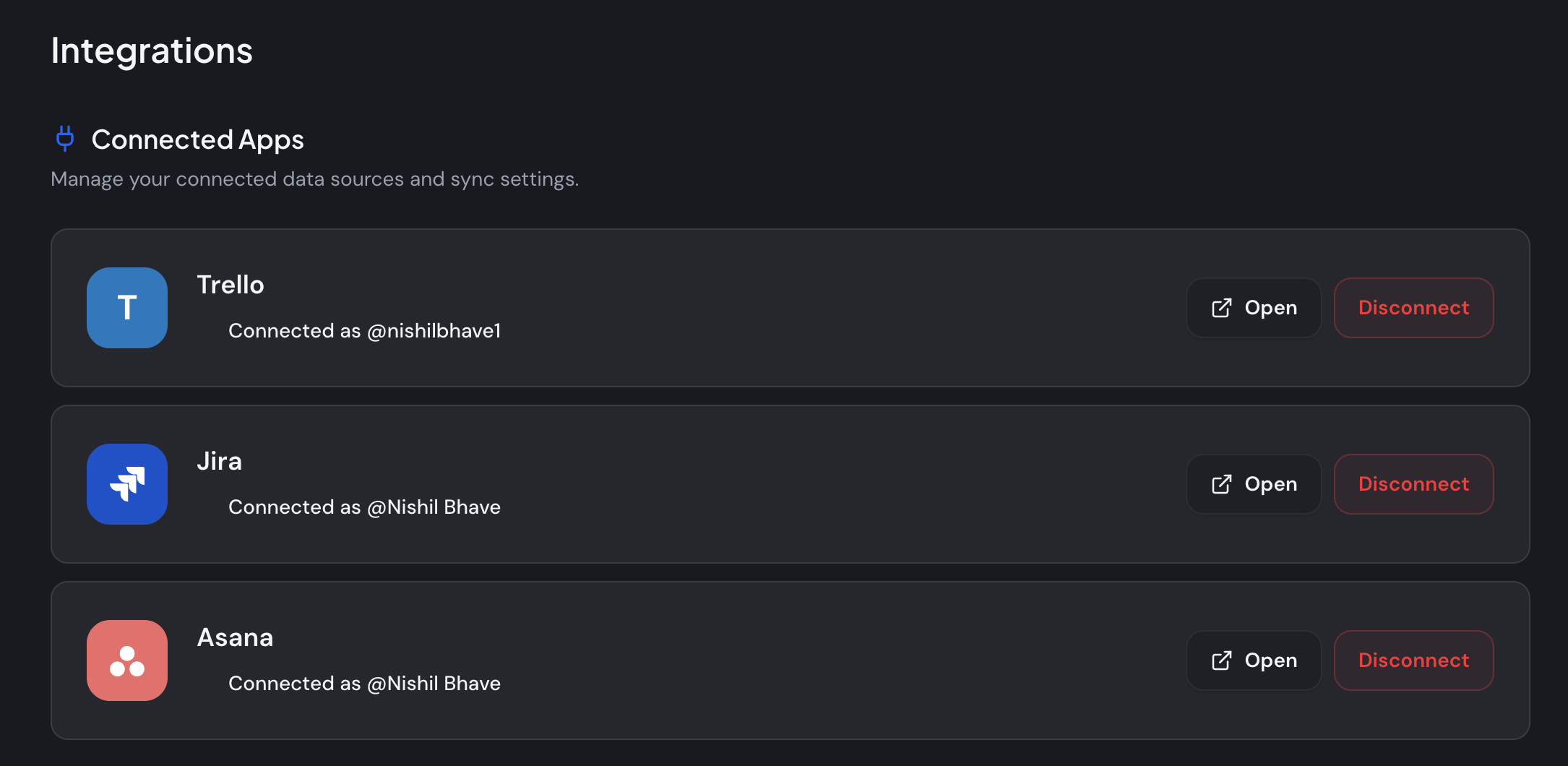
You automate a weekly status report by connecting your Trello, Jira, or Asana board to a tool that publishes it as a live status page, so the update writes itself as you work. Automating reporting saves around 13.5 hours per project manager every month (McKinsey, via PPM Express, 2024). The board already holds the truth; the page just reflects it.
That's the job StatusLink does. You connect the board you already run, and it becomes a branded, read-only status page your client opens with one link. No login for them, no rebuild for you. Move a card to Done and the page updates — the weekly update that used to be a Friday write-up writes itself.
The setup takes a few minutes:
- Connect your board. Authorize Trello, Jira, or Asana once. StatusLink reads the board you pick — no exporting, no rebuilding.
- Pick what clients see. Choose the lists, columns, or sections to show, and map them to clear statuses. Internal-only columns stay internal.
- Brand the page. Add your logo, set your color, choose light or dark, and rename statuses so it reads like your studio built it.
- Share one link. Send the magic link. The client opens it and sees live status — no account, ever. Revoke or regenerate it anytime.
The part that surprised me was how the "any update?" emails just stopped. Once a client could open a current page whenever they wondered, they didn't need to ask — and I didn't need to send a fresh report to answer.
A quick honesty note: StatusLink is deliberately not an all-in-one portal. It doesn't do invoicing, messaging, or contracts. It does one thing — keep a status page current from your board. If you also want clients to see status without friction across projects, see how a no-login client portal compares to heavier suites.
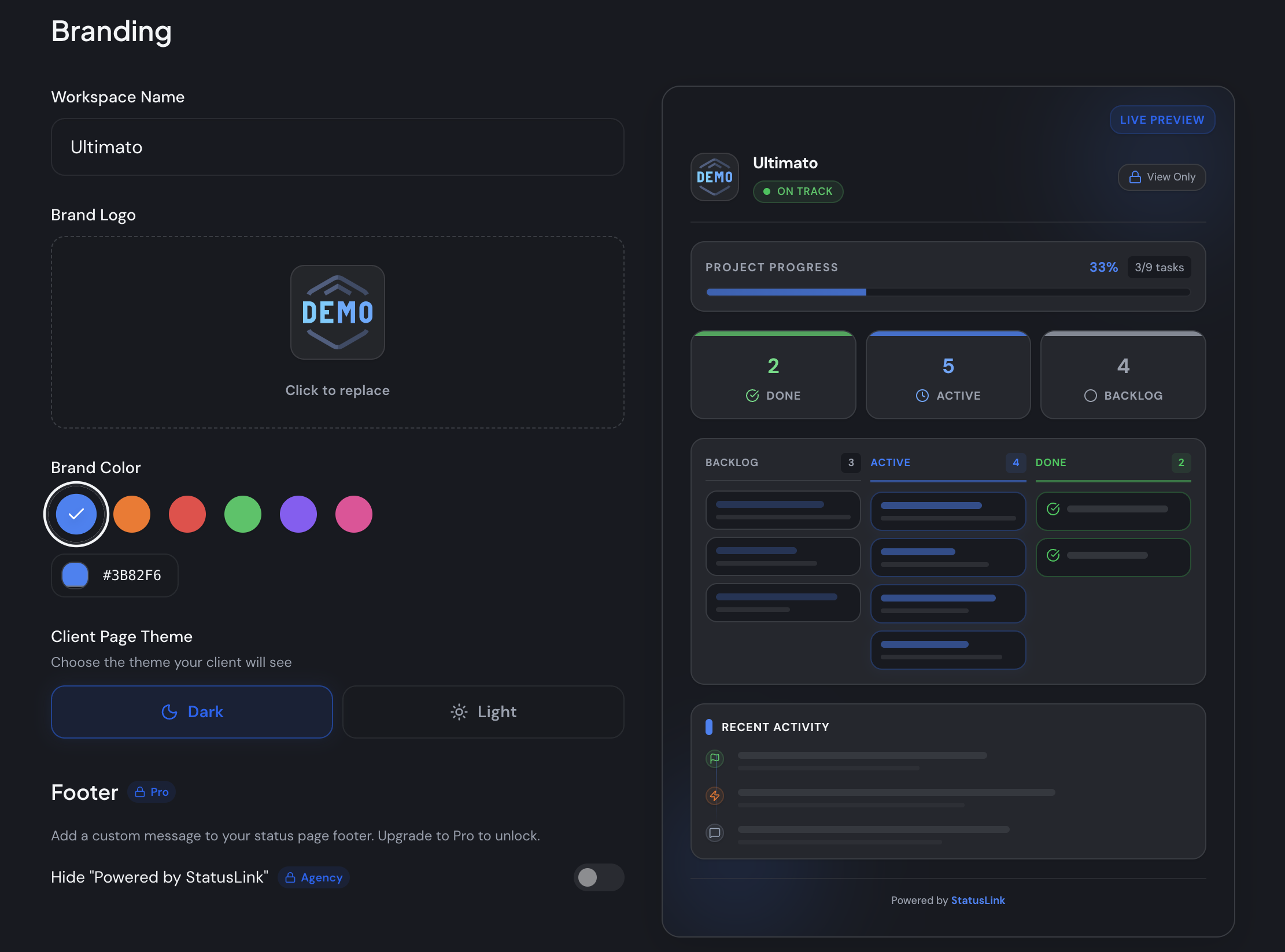
To automate a weekly status report, connect a Trello, Jira, or Asana board to StatusLink and share one branded, read-only link — no client login. It updates itself when you move a card, and automated reporting saves about 13.5 hours per project manager monthly (McKinsey, via PPM Express, 2024).
Keep the template for the weeks a client wants something formal to forward. For every other week, let the update write itself — you can start free and connect your board in a few minutes, or compare plans on the pricing page.
Frequently asked questions
What should a weekly project status report include?
Six things: an overall RAG status, a one-line summary, progress this week, next week's plan, milestones, and any risks or blockers. Lead with the status indicator — PMI found highly effective communication lifts on-time delivery from 37% to 71%, so a clear signal beats a long write-up.
How is a weekly status report different from a monthly one?
Weekly reports catch problems while they're still small; monthly summaries suit long, stable projects. Many teams pair a weekly internal update with a monthly client summary (Asana). Weekly matters because 45% of project managers already spend over a day a week reporting (Wrike) — a tighter cadence keeps each one short.
What day should you send a weekly status report?
Pick one day and hold it — Friday end-of-day or Monday morning are the usual choices. Consistency matters more than the exact day, because a predictable update is the one that replaces the 'any progress?' ping. Teams lose around 5 hours a week to unproductive meetings (Asana, via Archie), so a fixed-day async report earns its keep.
Can a weekly status report replace a weekly status meeting?
Often, yes. If the standing meeting exists only to share status, a written report or a live status page covers it without booking everyone's calendar. Time lost to unproductive meetings has doubled since 2019 to about 5 hours a week (Asana, via Archie) — reclaiming the status slot is a quick win.
How do you automate a weekly status report?
Connect the Trello, Jira, or Asana board you already run to a tool like StatusLink, which turns it into a branded, read-only status page clients open with one link — no login. It updates itself as you move cards, and automated reporting saves around 13.5 hours per project manager each month (McKinsey).