Automated Client Reporting: Stop Sending Manual Updates
Automated client reporting ends the weekly status email. The average PM burns 3–4 hours a week writing reports (PPM Express) — here's how to automate it.
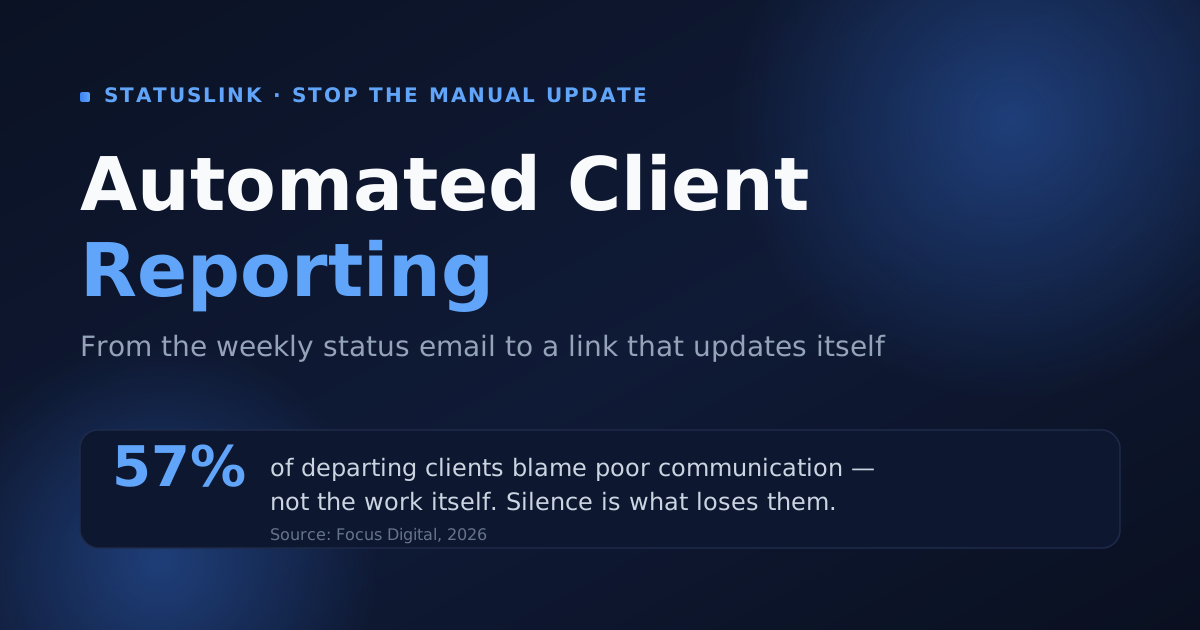
Every Friday, a version of the same ritual plays out in agencies everywhere. Open the project board. Copy what moved this week into a doc or a slide. Write a paragraph of context, export a PDF, attach it to an email, hit send. It eats an hour you didn't have — and the report is already going stale as it lands in the client's inbox.
The average project manager spends 3–4 hours every week building status reports by hand (PPM Express). That's over 150 hours a year on a document that's out of date by Monday. Automated client reporting exists to end that ritual — not with a better template, but by removing the manual step entirely.
This guide is about the workflow, not another tool roundup. We'll cover what automated client reporting actually is, what the manual version really costs you, and the exact path from a hand-written update to a live link that refreshes itself from the board you already run.
Key takeaways
- Manual reporting is a recurring tax — the average PM spends 3–4 hours a week writing status reports (PPM Express), over 150 hours a year.
- The deeper cost is staleness: a hand-written report is out of date the moment you send it, so clients ping you for an update anyway.
- Silence between updates is what loses clients — 57% of departing clients blame poor communication (Focus Digital, 2026), not the work.
- The fix is a workflow change: sync a Trello/Jira/Asana board once, brand a status page, and share one link that updates itself — no rebuild.
What is automated client reporting?
Automated client reporting is the practice of generating and sharing client-facing status updates straight from your project data, instead of rebuilding a report by hand each cycle. It swaps the manual assembly — the copying, formatting, exporting — for a live connection to the board where the work already lives. That assembly is the expensive part: the average PM spends 3–4 hours a week on it (PPM Express).
It comes in two flavors. A scheduled report generates a PDF or email on a cadence — better than typing it, but still a snapshot that ages. A live status page is always current: it reflects the board the instant you move a card. So what's the real difference from the deck you build every Friday? The deck is a snapshot you assemble; an automated report is a feed your tools assemble for you.
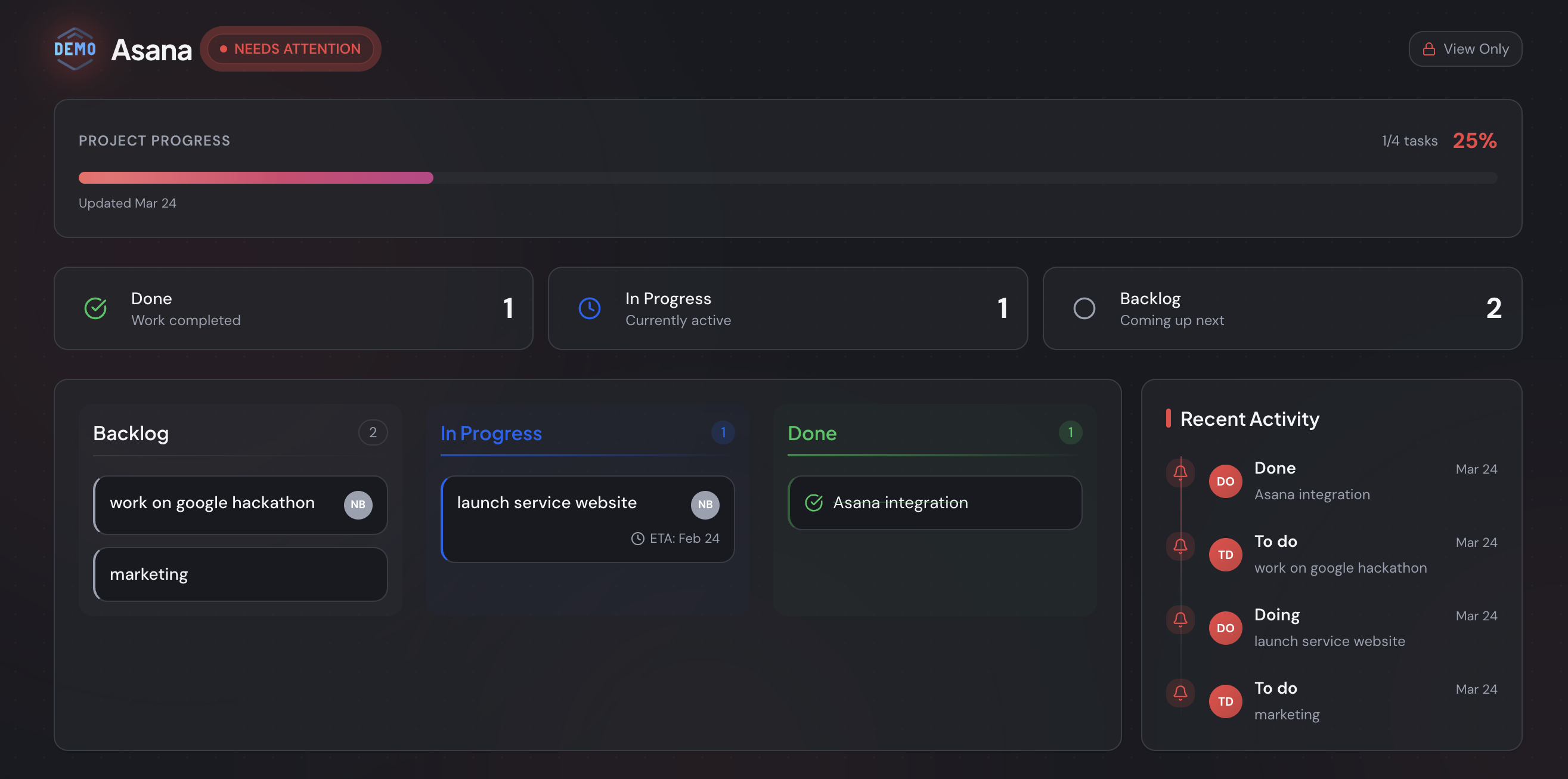
Automated client reporting generates client status from your project data instead of by hand. The two common forms are a scheduled report and a live status page that stays current as you work. With the average PM spending 3–4 hours a week on manual reports (PPM Express), the appeal is removing the assembly step — not redesigning the template.
How much time does manual client reporting really cost?
More than the hour it takes to write. The average project manager loses 3–4 hours a week to building status reports (PPM Express), and that's before the meetings called to walk through them. Unproductive meetings cost teams around 5 hours a week (Asana, 2024). Stack a portfolio of clients on top, and reporting quietly becomes a part-time job.
After building StatusLink and talking with a lot of agencies, the pattern I hear most is the Friday "report scramble" — a frantic hour rebuilding the same six updates across five clients, often for a PDF nobody opens before the next call. The work isn't hard. It's just relentless, and it lands at the worst time of the week.
The good news is that the time comes back when you automate. Agencies that lean on automation reclaim real capacity: 42% got back 5–10 billable hours a week through AI and automation, per a survey of 220+ agency leaders (AgencyAnalytics, 2025). What could you do with most of a day returned to you every week?
Run the math on a small roster. At 3–4 hours per client each reporting cycle, five clients eats most of a working day — every single week. Ten clients, and you've effectively hired someone whose only job is restating what the board already shows. None of that work moves a project an inch forward. It's overhead, dressed up as communication.
Manual reporting costs far more than the hour of writing. The average PM loses 3–4 hours a week to reports (PPM Express), and teams lose roughly 5 hours a week to unproductive meetings (Asana, 2024). Agencies that automate reclaim it — 42% got back 5–10 billable hours a week (AgencyAnalytics, 2025).
Why do manual status updates fail clients?
Because a hand-written report is stale the moment you send it — and the silence between reports is what actually costs you. 57% of departing clients name poor communication as a reason they leave (Focus Digital, 2026), and poor communication drives roughly a third of project failures (PMI, via Ascertra). A weekly PDF can't close a gap that opens up on Tuesday.
Here's the part most reporting advice skips: the real problem with a manual report isn't the hour it takes to write — it's the staleness window. The moment you hit send, the report starts drifting from reality. By the time the client reads it, a card has moved, a blocker has cleared, a date has slipped. So they don't quite trust it, and they email you for the "real" status anyway. Automation doesn't just save the hour. It closes the window.
That gap has a cost beyond the client relationship, too. Coordination eats the workday regardless — knowledge workers spend 60% of their time on "work about work," chasing updates and communicating status rather than doing the job they were hired for (Asana, 13,000+ workers across seven countries). If a client emails for an update right after you sent one, what did the report actually buy you?
Manual updates fail clients because they're stale on arrival and leave gaps between them. 57% of departing clients cite poor communication (Focus Digital, 2026), and poor communication drives about a third of project failures (PMI, via Ascertra). A live status page closes the gap a weekly report structurally can't.
How does automated client reporting work?
You connect the board you already run, and a single link does the rest. With a tool like StatusLink, you link a Trello, Jira, or Asana board, map your columns to client-readable status, brand the page, and share one URL. It refreshes itself as you move cards — no export, no rebuild, no Friday scramble. Setup takes minutes, not the hours a manual report eats each week (PPM Express).
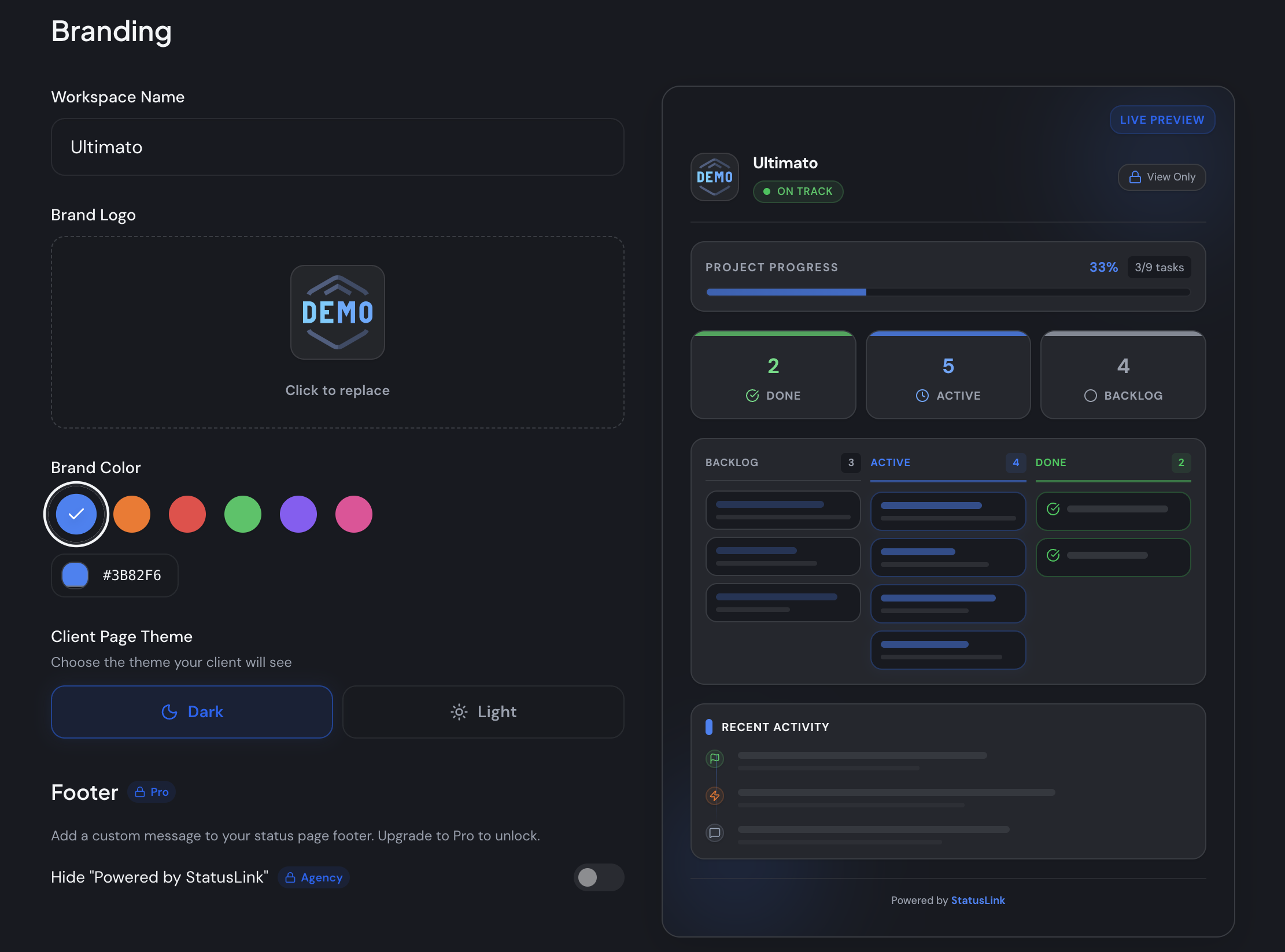
The workflow is three steps. Connect the board where work already happens. Brand the page so it reads like your studio, not a generic dashboard. Share one link — no client account to create. Because the page syncs from your board, the manual entry disappears: there's nothing to keep in sync by hand, because the board is the source. A status page like this is really a lightweight client portal, minus the login.
Here's what the mapping looks like in practice. Your "Done" column becomes a completed status the client reads as finished work. "In Progress" surfaces what's active this week. "Backlog" or "To Do" shows what's queued next, without exposing every internal sub-task or comment thread. You choose which lists are client-facing and which stay private, so the page reads like a clean summary — not a raw dump of how the work actually gets made.
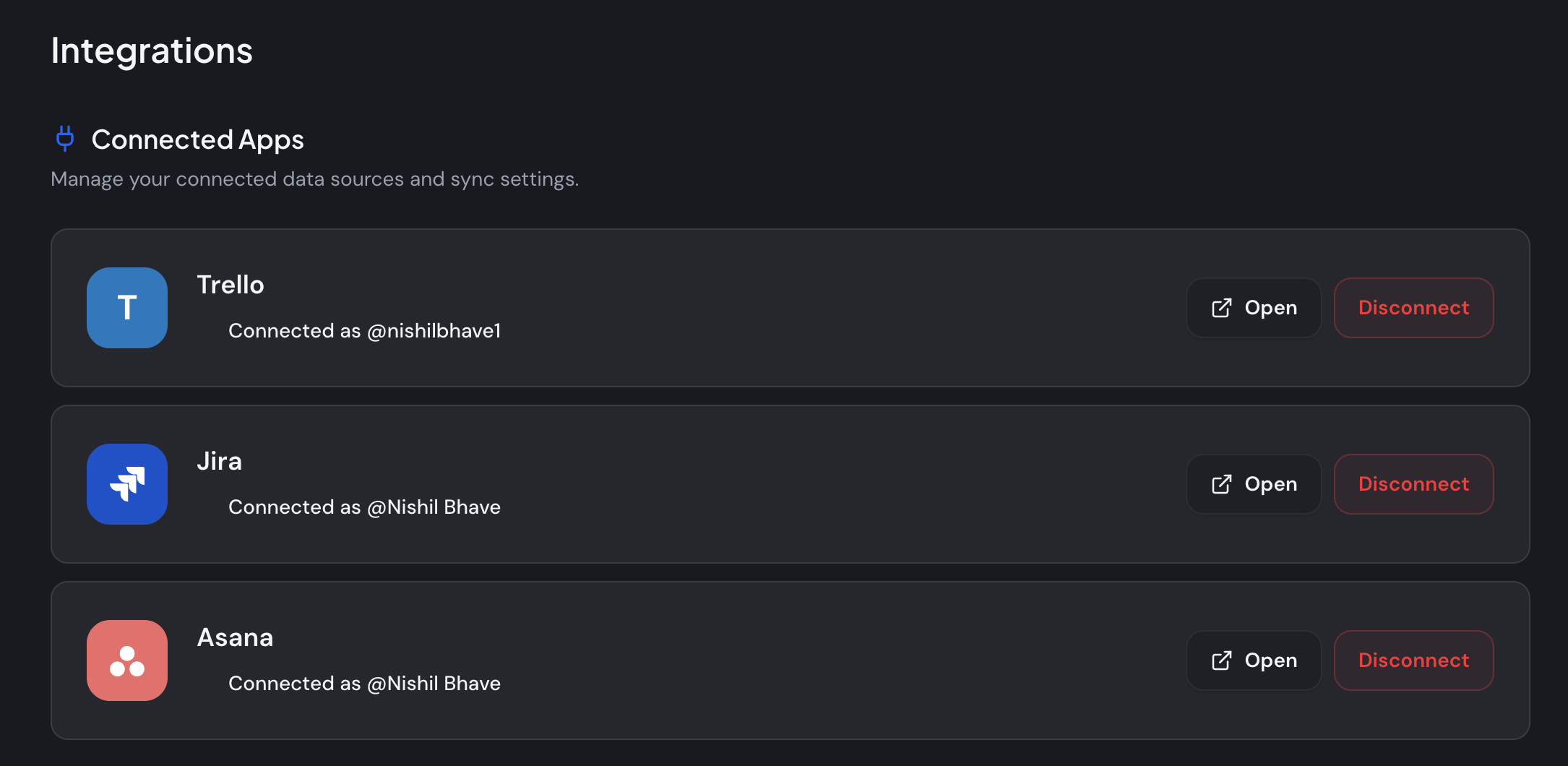
Why maintain a second system when the board already holds the truth? Automated client reporting works by syncing from the board where work lives: connect Trello, Jira, or Asana, brand the page, and share one link that updates itself. With a single source of data, the client view never drifts — it answers "is this on track?" without the rebuild a weekly report demands.
Manual reporting vs automated reporting: what actually changes?
The assembly disappears; the judgment stays. Automation removes the copying, formatting, and exporting — not the thinking about what to flag. Laid side by side, the contrast is plain: manual reporting costs hours and goes stale, while automated reporting costs minutes and stays current. The average PM gets back most of the 3–4 hours a week manual reports take (PPM Express).
| Manual report (email / PDF) | Automated status page | |
|---|---|---|
| Who builds it | You, every cycle | Your board, automatically |
| How current | Stale the moment you send | Live as you move cards |
| Client friction | An attachment to open | One link, no login |
| Time cost | 3–4 hrs/week (PPM Express) | Minutes to set up |
| Churn risk | Gaps open between updates | Always-on visibility |
One honest caveat: automation replaces the assembly, not the narrative. You still add a sentence of context where it matters — why a date moved, what you need from the client. And it won't rescue a project that's genuinely behind; a live page shows red just as plainly as it shows green. That's the point. Honest status earns more trust than a glossy PDF that buries the bad news on page three. For the moments a client wants something formal to forward internally, pair the live page with a project status report template. Which of these would you rather maintain across ten clients?
The difference between manual and automated reporting isn't quality — it's where the time goes. Manual reports cost 3–4 hours a week and drift out of date (PPM Express); automated pages cost minutes and stay live. Automation removes the assembly, not the judgment about what to highlight for the client.
What should you look for in a client reporting tool?
The client reporting tool clients actually open is the one with the least friction — no login, your branding, current on its own. About 88% of customers expect some form of self-service (Document360, 2025), but only when self-service is genuinely easier than emailing you. A tool that hides status behind another account undercuts the convenience it's supposed to add.
Five things separate a tool that gets checked from one that gets ignored:
- Board sync — Does it pull from Trello, Jira, or Asana, so there's no manual entry? This is the whole point.
- No-login access — A link beats an account. The average person already manages around 240 password-protected logins (DeepStrike, 2025), so every new one lowers the odds a client checks in.
- White-label branding — The report represents you, so your logo and colors should be on it, ideally without paying for a higher tier.
- Freshness — A report is only as good as its last update; a live page is always current.
- Scheduled or live — A periodic email versus an always-on page. For "where are we?", live wins.
For a fuller shortlist, see the best client reporting and portal tools, compared, or the simplest picks for a small business. About 64% of professional-services firms already run a client portal (Global Growth Insights) — the open question is which model fits how your clients work. What good is a report the client never logs in to see?
A client reporting tool earns its keep on friction, not feature count. Look for board sync, white-label branding, no-login access, and automatic freshness. With 88% of customers expecting self-service (Document360, 2025) yet the average person juggling ~240 logins (DeepStrike, 2025), a no-login link beats a portal clients have to sign into.
How do you automate client reporting for a marketing agency?
Match the delivery to the relationship, then let one board feed many branded pages. For an agency whose clients mainly want to know status, a no-login live page beats a weekly deck — and it scales across the roster. The stakes are retention: 57% of departing clients cite poor communication (Focus Digital, 2026), so consistent visibility across accounts protects revenue, not just hours.
The agencies I've watched make this switch don't miss the reports. They miss the dread. A live page per client means nobody's rebuilding five decks on Friday afternoon, and clients stop opening tickets that just ask "any update?" The work gets quieter. Small teams already lose the equivalent of a month a year to admin (Sage, 2025); reporting shouldn't add to that pile.
There's a multiplier here that solo freelancers feel less: one board can power many branded client pages, each with its own logo, colors, and link. Reporting stays consistent across every account without a per-client rebuild. Why write the same six updates five times?
This isn't only an agency move, either. A solo freelancer juggling three clients feels the same Friday drag, just at a smaller scale. So when does manual still win? At a milestone — a launch, a big reveal, a phase sign-off — where a written narrative carries weight a dashboard can't. The sensible split: automate the weekly cadence, and hand-write the few moments that genuinely deserve it.
To automate agency client reporting, connect each client's board and share a branded live page, so one source feeds many client views. It protects retention — 57% of departing clients blame poor communication (Focus Digital, 2026) — while sparing the team the weekly rebuild that small businesses already lose ~a month a year to admin on (Sage, 2025).
Stop sending status updates — start sharing one
The case for automated client reporting isn't really about saving an hour, though you'll save many. It's about closing the staleness window that makes manual reports untrustworthy, and ending the silence between them that quietly loses clients. Connect the board you already use, brand the page once, and let clients see where things stand whenever they want — without another login, and without you rebuilding a thing.
Want to try it? You can start free and connect your board in a few minutes — Trello, Jira, or Asana — and send your first client a live status link today instead of next Friday's PDF. See StatusLink pricing for what's included as you grow.
Frequently asked questions
What is automated client reporting?
Automated client reporting means generating and sharing client status updates straight from your project data, instead of rebuilding a report by hand each week. The average project manager spends 3–4 hours a week writing status reports (PPM Express) — automation gives most of that time back and keeps the update current.
How do you automate client reporting?
Connect the board you already run — Trello, Jira, or Asana — to a reporting tool, map your columns to client-readable status, then share one link that updates itself as you move cards. It removes the manual rebuild; 60% of a knowledge worker's day already goes to coordination and 'work about work' (Asana).
Is automated client reporting worth it for a small agency?
Usually yes, when clients mostly want to know where things stand. A live status page keeps them informed without a weekly deck, and visibility drives retention: 57% of departing clients cite poor communication as a reason they leave (Focus Digital, 2026). For status-only relationships, automation pays off fast.
What's the best client reporting tool?
The best client reporting tool is the one clients actually open — low-friction, on-brand, and current on its own. Prefer a no-login link over a portal clients must sign into, since 88% of customers expect some form of self-service (Document360, 2025). Sync from your existing board so nothing goes stale.
How do you keep clients updated without status meetings?
Share a live status link clients can check on their own time, so updates don't need a recurring call. Unproductive meetings already cost teams about 5 hours a week (Asana, 2024). A self-updating page answers 'is this on track?' without adding another meeting to anyone's calendar.