Client Portal Software for Small Business: 7 Simple Picks
Client portal software for small business: 7 simple picks from free to $199/yr. 88% of customers now expect a self-service portal — here's how to choose.
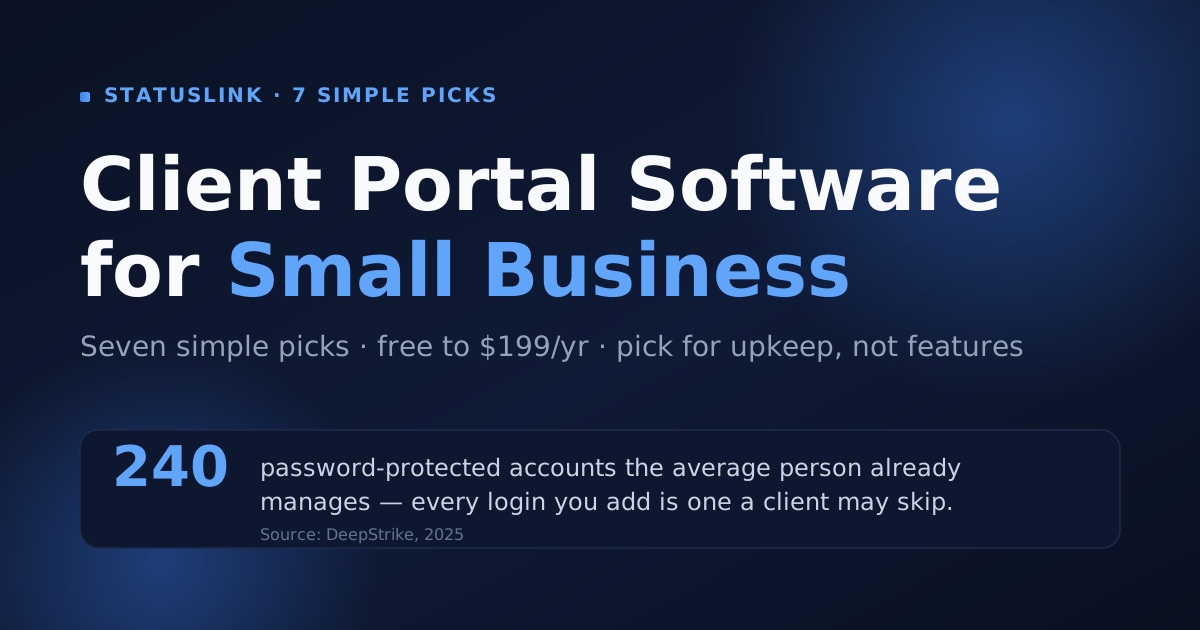
The average small business effectively works 13 months for 12 months' pay, losing about two days every month to financial admin like chasing invoices (Sage, 2025). So when you go shopping for client portal software, the goal isn't more features — it's less time lost. The right portal for a small business is the one you'll actually keep current.
That's a harder filter than it sounds. A lot of client portal software is built for firms that want to run the whole business behind one client login — invoicing, contracts, messaging, file vaults, onboarding. Powerful, but heavy. This guide ranks seven simple picks, from genuinely free to a $199-a-year WordPress plugin, with an honest one-liner and a real price for each. And it's blunt about the case where you don't need a portal at all — just a link.
Key takeaways
- Small businesses lose the equivalent of a month a year to admin (Sage, 2025) — so pick the portal with the lowest upkeep, not the longest feature list.
- Two of our seven picks are genuinely free to start (StatusLink, Notion); the cheapest honest all-in-one is $19/mo flat with unlimited clients (SuiteDash).
- About 64% of professional-services firms run a client portal (Global Growth Insights), but most clients open just one screen: "is this on track?"
- For status updates, a no-login page synced from your board beats a portal clients must log into and you must keep filling.
Do small businesses actually need client portal software?
Most small businesses need the status part of a client portal, not the whole suite. Around 64% of professional-services firms already run one (Global Growth Insights), yet the surface clients actually use is usually a single question: where are we? A portal earns its place when you genuinely need to exchange sensitive files, collect signatures, and bill in one spot.
So who needs the full thing? Law firms, accountants, and high-touch retainers where the client logs in weekly. Those teams get real value from a document room and a billing tab behind a login. If that's you, buy the suite — you'll use it.
Most project-based shops and freelancers are different. Their client checks progress, maybe forwards an update internally, and ignores everything else. For them, a heavy portal is cost without payoff: another tool to set up, fill, and keep from going stale.
Most small businesses don't need a full client portal — they need the status part of one. About 64% of professional-services firms run a portal (Global Growth Insights), but the feature most clients use is simply seeing whether work is on track. Match the tool to that, not to the longest feature checklist.
How did we pick these 7?
We ranked these seven on four things small businesses actually feel: upkeep, client friction, real price, and fit. Upkeep matters most, because a portal nobody updates is worse than none — and a third of project failures trace back to poor communication (PMI, via Ascertra). In practice, the tools small teams abandon aren't the priciest ones — they're the ones that needed feeding by hand.
The four filters, plainly:
- Upkeep — Does it stay current on its own, or do you feed it by hand?
- Client friction — Login and password, or a link they just click?
- Real price — Including the white-label "tax" that's often locked behind a higher tier.
- Fit — Does it do the one job you need, without five you don't?
Price is the easiest to compare at a glance, so start there. Here's the entry price for all seven, converted to a monthly figure.
We ranked these seven client portals on upkeep, client friction, real price, and fit — with upkeep weighted highest, because a stale portal undoes the point. Poor communication drives roughly a third of project failures (PMI, via Ascertra), so a tool that stays current without manual work beats one with a longer feature list.
What are the 7 best client portals for small business?
Here are the seven, each with what it's best for, a real price, and the honest catch. There's no single winner — the right pick depends on whether your clients need to see status or transact with you.
1. StatusLink — best for sharing project status with no login
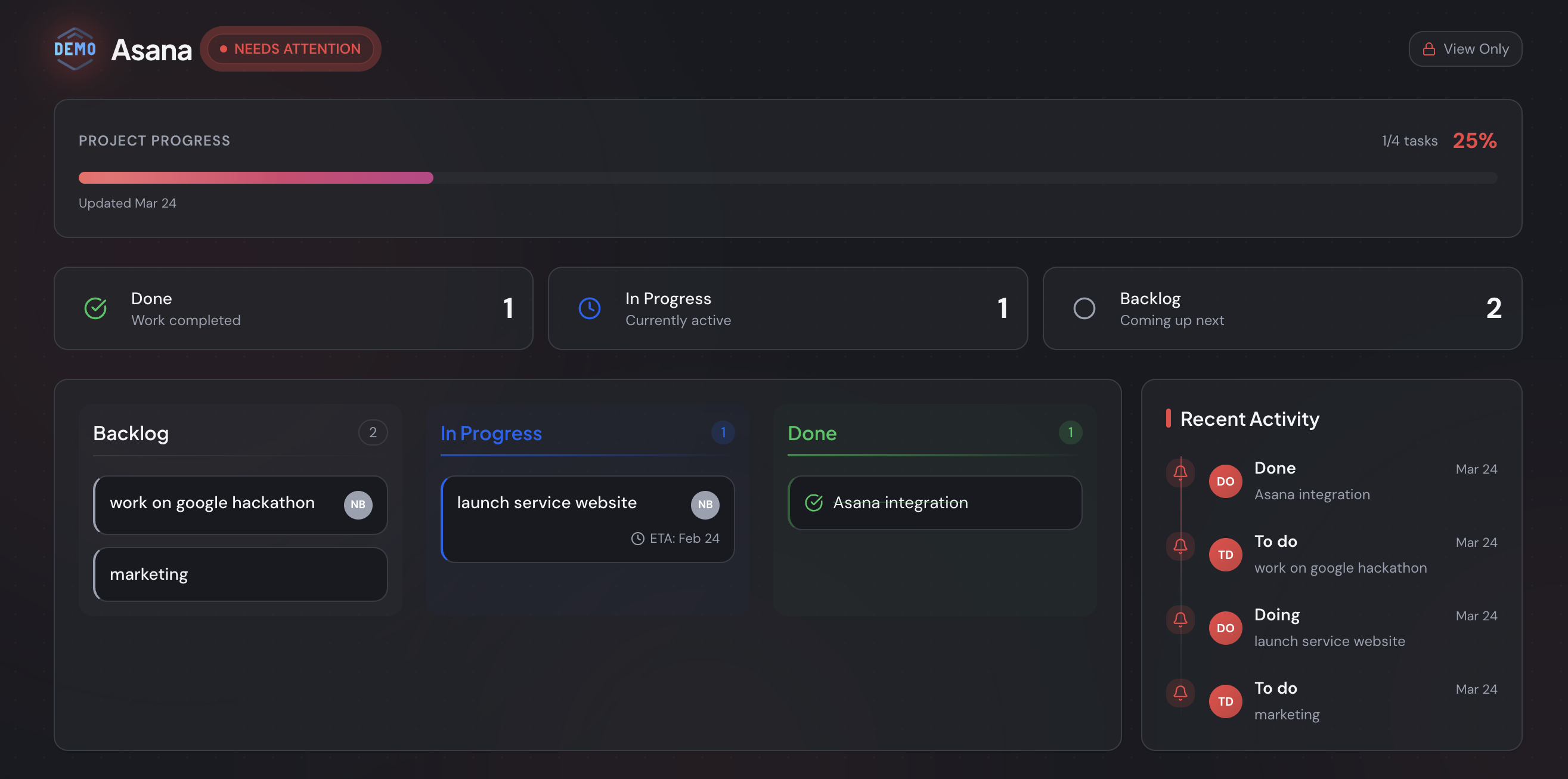
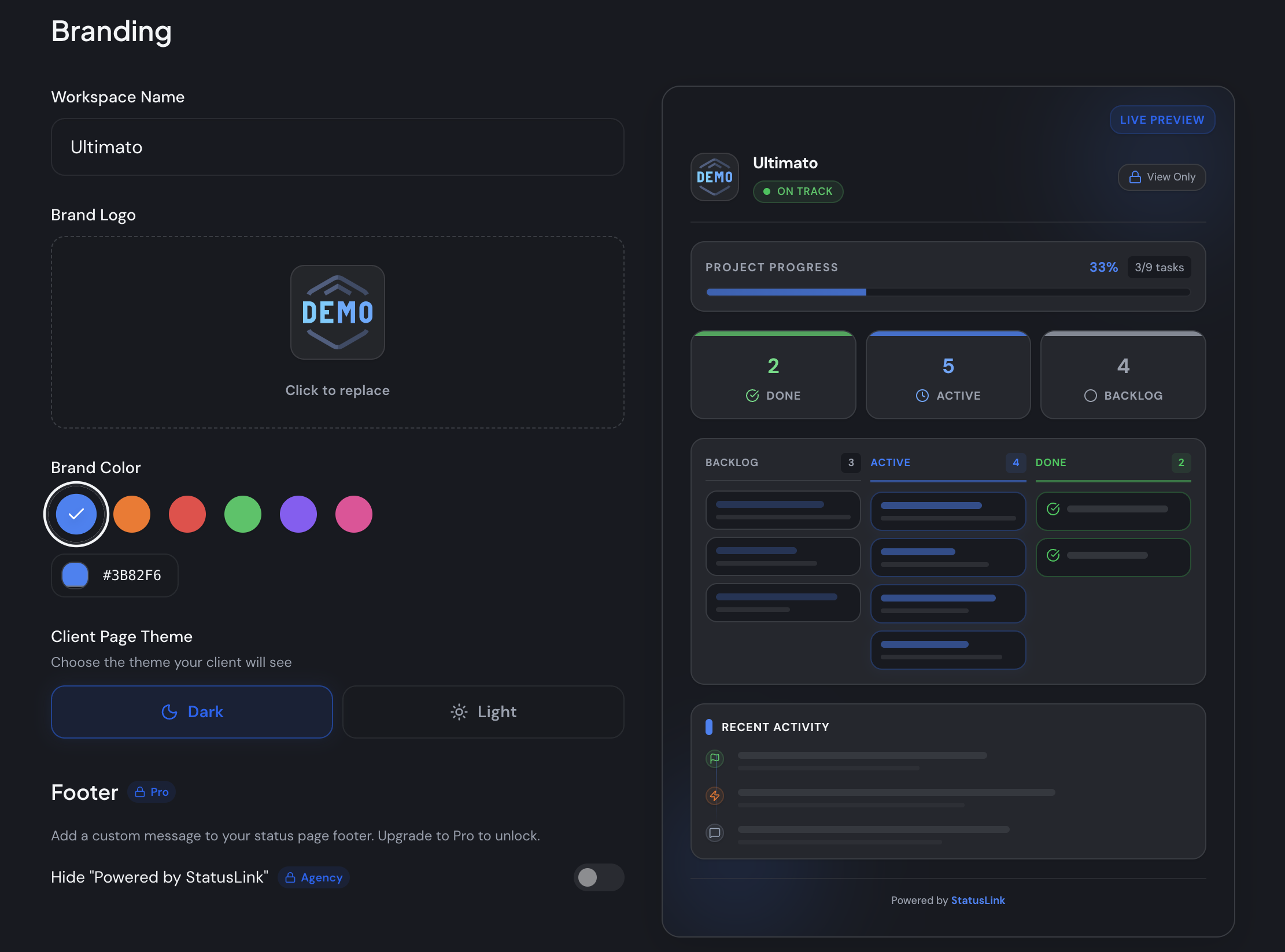
Free to start. StatusLink connects a Trello, Jira, or Asana board and turns it into a branded, read-only status page you share with one link. No client account, no setup on their end. It's the pick when the recurring question is "where are we?" and nothing more.
The catch is the point: it's status only. It deliberately skips invoicing, messaging, and contracts, so it never becomes another suite to administer. If you need clients to pay or sign inside the portal, this isn't your tool — and I'll happily say so.
2. SuiteDash — best all-in-one value
From $19/mo flat, unlimited clients. SuiteDash bundles CRM, projects, invoicing, files, and a client portal — and even the entry plan includes white-label branding and unlimited clients and staff (SuiteDash). For a small business that genuinely wants one login for everything, the per-feature value is hard to beat. The catch: it's a lot to configure before clients see anything.
3. Bonsai — best for freelancers who also bill and sign
Around $19–$29 per user/mo. Bonsai is a freelancer operating system: proposals, contracts, invoicing, and a light client portal in one place. Great if you want the business side handled too. The catch is that you're partly paying for tools beyond the portal — overkill if you only need status.
4. Moxie — best budget freelancer suite
From $12/mo (Starter); 14-day trial, no free tier. Moxie covers a freelancer's whole workflow — projects, invoicing, time tracking, and a client portal — at the lowest entry price of the paid suites (Moxie). The catch: the portal is one feature among many, so you adopt a fuller system to get it.
5. Copilot — best polished premium portal
Premium, entry around $59/mo and scaling by clients. Copilot is a sleek, modern portal with apps for messaging, billing, files, and contracts — built for agencies productizing a service. It looks fantastic. The catch is price: it's aimed up-market, so it can be more than a small shop needs.
6. ClientPortal.io — best for WordPress sites
$199/yr, single site. ClientPortal.io is a self-hosted WordPress plugin with unlimited portals on one site (ClientPortal.io). If your site already runs on WordPress, it keeps everything under your own domain. The catch: you host and maintain it, and clients still log in.
7. Notion — best free DIY option
Free personal tier. You can share a Notion page as a lightweight portal — progress, links, notes — for nothing. It's the scrappiest start. The catch is real: manual upkeep, no proper client access control, and it'll look like Notion, not like your studio.
For a wider breakdown with screenshots and the all-around winner, see the best client portal software overall. The short version below: pick a suite if you want one login for everything, a status page if "everything" is more than your clients open.
The seven best client portals for small business span free (StatusLink, Notion), flat-rate ($19/mo SuiteDash, $12/mo Moxie), premium (Copilot), and self-hosted ($199/yr ClientPortal.io). The differentiator isn't feature count — it's upkeep and client friction. Tools that sync from a board you already run stay current on their own; tools you fill by hand go stale.
What does "free client portal software" really get you?
Free client portal software is real, but read the catch. StatusLink is free to start and keeps your branding; Notion's free tier works as a basic shared page. The trap is the "free" plans that strip white-label or cap clients — which matters when 88% of customers now expect a self-service portal of some kind (Document360, 2025).
Two patterns to watch. First, the white-label tax: many suites hide your-logo branding behind a higher tier, so the "free" version quietly advertises the vendor to your client. Second, per-seat or per-client pricing that's cheap at two clients and punishing at twenty.
Is free enough? For status and progress, often yes. After building StatusLink and talking with a lot of small shops, the pattern I keep seeing is a business that pays for a suite, then uses one screen. The honest move is to start free, confirm what clients actually open, and only pay when a real need shows up.
Free client portal software exists — StatusLink and Notion both start free — but the common catch is stripped white-label branding or a hard cap on clients. With 88% of customers expecting some form of self-service portal (Document360, 2025), a free and on-brand option is the right place for a small business to begin before paying for a suite.
When does a no-login status page beat a full portal?
A no-login status page wins whenever the client's recurring question is just "is this on track?". A heavy portal asks them to create an account and remember to return — real friction, given the average person already manages around 240 password-protected accounts (DeepStrike, 2025). Every login you add is one more reason a busy client doesn't check in, then emails you for an update anyway.
A status page flips that. You connect the board you already run, brand the page, and share a single link. The client clicks and sees live progress — no account, no onboarding, nothing to learn. Because it syncs from your board, it updates itself when you move a card.
So is the login ever worth it? Yes — when clients must exchange confidential files or sign and pay inside the tool. That's exactly when a full portal's authentication earns its keep. For visibility, though, friction is the enemy, and a link removes it.
A no-login status page beats a full portal when clients only need to see status. The average person juggles around 240 password-protected accounts (DeepStrike, 2025), so each new login lowers the odds they check in. A page synced from your existing board removes that step entirely — clients see current progress without ever signing in.
How do you choose in 10 minutes?
Choose by answering three questions about what your clients actually do. The answers map cleanly to a pick, so you don't need a two-week trial of six tools. The aim is to stop evaluating and start sharing.
- Do clients need to transact — sign, pay, or upload sensitive files? If yes, you need a login-based portal: SuiteDash for value, Copilot for polish, ClientPortal.io if you live on WordPress.
- Do clients log in weekly to a high-touch relationship? If yes, a freelancer suite that bundles the business side fits: Bonsai or Moxie.
- Do clients mainly check "where are we?", and do you already run a board? If yes, skip the portal and share a status page: StatusLink, free, no login.
If you also send formal written updates, pair the page with a project status report template for the moments a client wants something to forward internally. And if you want the full landscape first, start with when you actually need a client portal.
Choosing takes three questions: do clients transact, do they log in weekly, and do you already run a board? Transactional needs point to a login-based suite like SuiteDash; status-only needs point to a no-login page like StatusLink. Matching the tool to the behavior — not the feature list — is what keeps a small business from paying for upkeep it never uses.
The small-business answer
For most small businesses, the best client portal software is the one with the least upkeep, not the most features. Two of our picks start free, one flat-rate suite runs $19/month with unlimited clients, and a $199-a-year plugin covers WordPress sites. The money question is rarely the deciding one — the time question is.
If your clients open the status view and ignore the rest, you don't need a portal. You need a link. Connect the board you already use, brand the page, and let clients see where things stand without another login to manage.
Want to try the no-login route? You can start free and connect your board in a few minutes — Trello, Jira, or Asana — and send your first client a status page today. See StatusLink pricing for what's included once you grow.
Frequently asked questions
What is the best client portal software for small business?
It depends on the job. If clients mainly want to see project status, StatusLink is the simplest pick — free to start, no client login. If you want billing, files, and messaging in one place, SuiteDash is the best all-in-one value at $19/month flat with unlimited clients. Match the tool to what clients actually open.
Is there free client portal software for small business?
Yes. StatusLink is free to start and keeps your branding, and Notion's free tier can act as a basic shared portal. Watch the catch: many 'free' plans strip white-label branding or cap how many clients you can add. Around 88% of customers now expect some kind of self-service portal (Document360, 2025), so a free, on-brand option is worth starting with.
Do small businesses really need a client portal?
Most need the status part of one, not all of it. About 64% of professional-services firms run a client portal (Global Growth Insights, 2025), but clients usually open just one screen: 'is this on track?'. If invoicing, messaging, and file vaults sit untouched, you're maintaining features nobody uses.
What is the simplest client portal to set up?
A no-login status page synced from a board you already run. With StatusLink you connect Trello, Jira, or Asana, brand the page, and share one link — minutes, not hours. There's no account for the client to create, which matters when the average person already manages around 240 password-protected logins (DeepStrike, 2025).
How much does client portal software cost for a small business?
Anywhere from free to about $199/year. Flat-rate all-in-one tools start at $19/month with unlimited clients (SuiteDash); per-seat freelancer suites start around $12/month (Moxie); a self-hosted WordPress portal runs $199/year (ClientPortal.io). StatusLink is free to start, so a lean shop can share a status page without paying.